
If you’re a college student using a MacBook, your notes live at the center of your academic life. Lectures, readings, exam prep, group projects… it all ends up in some document.
The problem? Many students juggle messy Google Docs, random screenshots, and half-finished notebooks. In this guide, we’ll walk through the best note taking apps for students mac (also called note taking apps for mac for students), how to choose the right one for your learning style, and how to build a clean, stress-free system for your study life.
We’ll look at the top Mac note-taking apps for students, give real-world examples, and share practical tips so your macOS study notes actually help you get better grades.
In this article, we will explore the best note taking apps for students mac that can enhance your study routine and improve your overall learning experience.
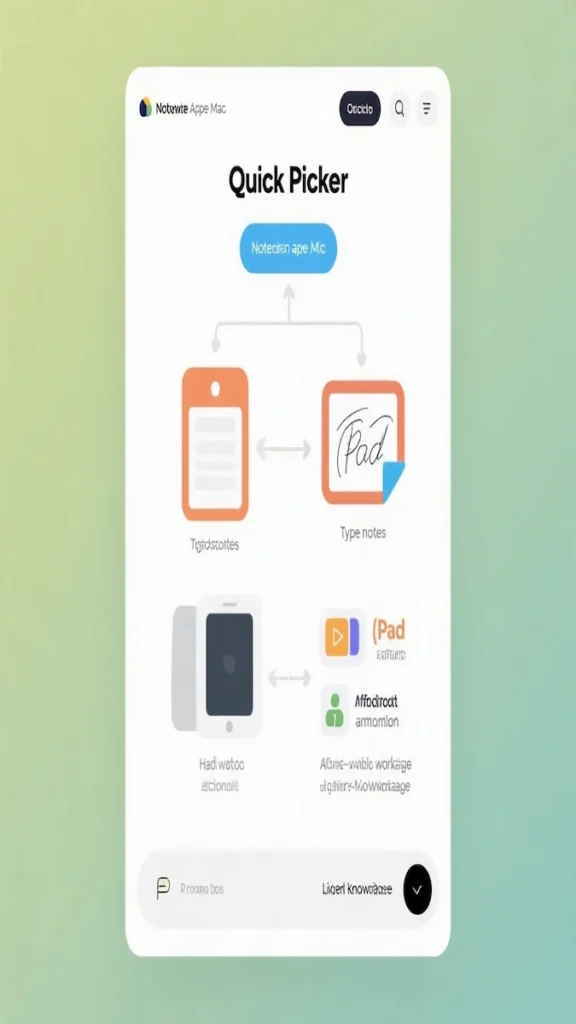
Why Your Note-Taking Setup on Mac Really Matters
Good note-taking is more than writing down what the professor says.
If you want a full note-taking system (not just apps), start here: How to Take Notes at University: A Simple System That Works for Any Major.
It’s how you process information, organize your tasks, and review efficiently before exams.
A solid digital note system on Mac helps you:
- Keep everything in one place instead of spread across apps and notebooks.
- Turn messy lecture slides into structured digital notes that college Mac users can actually revise.
- Find anything quickly with search instead of flipping through pages.
- Reduce the anxiety of “Did I save that?” or “Where did that worksheet go?”
When you choose the right macOS tools, your MacBook becomes the hub for your entire academic world: notes, deadlines, readings, and exam plans.
What Makes a Good Note-Taking App for Students?
Before we get into specific Mac apps for lecture notes, it helps to know what you’re actually looking for.
Core Features to Look For
Your journey to finding the best note taking apps for students mac starts with understanding your specific needs and preferences.
Many students find that the best note taking apps for students mac combine functionality with ease of use.
A good student note app on Mac should give you:
- Fast capture – You can start a new note in seconds during class.
- Easy organization – Folders, tags, or notebooks for each course.
- Searchable notes – So you can find “mitosis” or “Laplace transform” instantly in week 3 notes.
- Sync across devices – Especially if you also use an iPad or iPhone.
If you rely heavily on your phone for on-the-go studying, don’t miss our Best Note Taking App for iPhone for University Students guide.
- PDF + image support – To annotate lecture slides, readings, and problem sets.
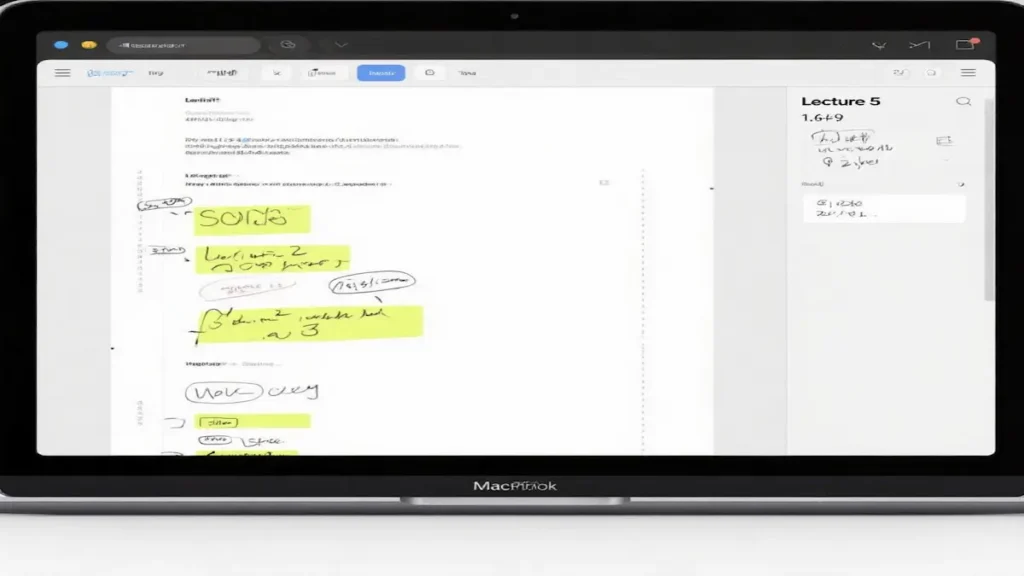
Suppose you prefer drawing diagrams or writing formulas. In that case, you’ll also want handwritten notes on a MacBook (usually via iPad + Apple Pencil with a companion Mac app).
Typed vs Handwritten vs Hybrid
Ask yourself:
- Do I mostly type fast during lectures?
- Do I learn better when I write by hand and draw diagrams?
If you’re a visual thinker who loves diagrams and connections, try the approach in our Mind Map Note-Taking Method for College Students and build your mind maps inside your favorite Mac note app.
- Do I want a hybrid system (e.g., handwritten notes on iPad, revision notes on Mac)?
Your answer will strongly influence which app is “best” for you.
How to Choose the Best Note-Taking Apps for Students on Mac (Step-by-Step)
This is where many students overcomplicate things. Instead of installing 15 apps and feeling overwhelmed, follow these simple steps.
Step 1: Decide Your Main Note Style
Think about your typical lecture:
- Fast-paced, information-heavy (e.g., chemistry, economics): typed notes or structured notebooks like OneNote or Notion.
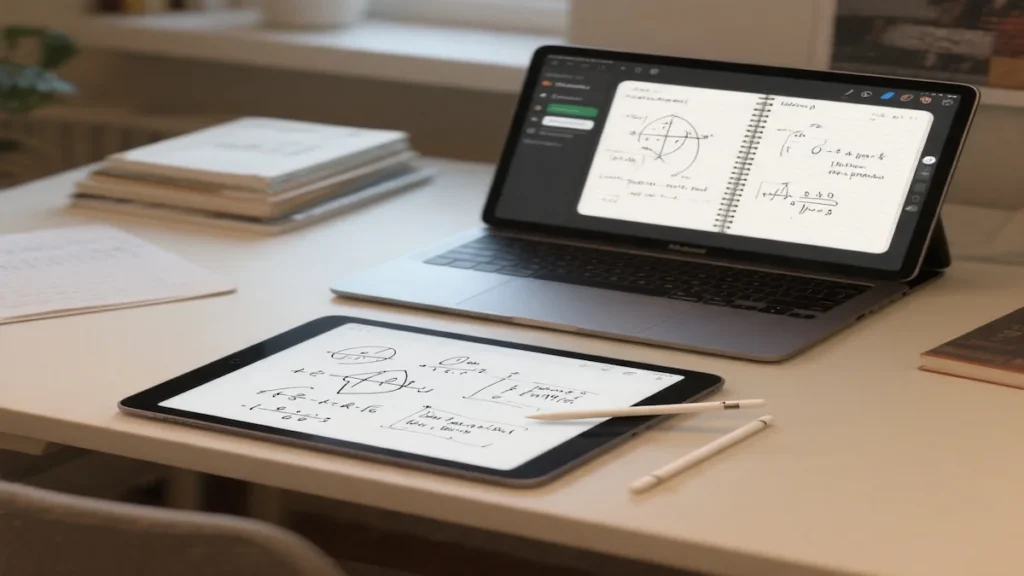
- Diagram-heavy, equations, symbols (e.g., math, physics, engineering): handwritten notes in GoodNotes or similar.
- Text-heavy, reading-based (e.g., literature, humanities): apps that work well with PDFs + highlighting, like GoodNotes, Evernote, or Obsidian.
Step 2: Pick ONE Primary App (and Maybe One Support App)
For most students, a simple setup works best:
- 1 main app for daily lecture notes.
- 1 supporting app for planning or long-term knowledge (e.g., Notion or Obsidian).
This keeps you from scattering notes everywhere.
Step 3: Create a Structure for Each Semester
Before diving into our list, it’s crucial to identify what the best note taking apps for students mac mean for you personally.
Choosing from the best note taking apps for students mac can streamline your note-taking process significantly.
Whichever app you choose, create a clear structure:
- One folder/notebook/database per semester.
- Inside that, one section or page per course.
- Subpages or sections for: lectures, readings, assignments, and exam prep.
This makes it much easier to organize class notes on a Mac in a way that still makes sense at finals time.
Step 4: Integrate PDFs and Slides
Your professors will probably upload:
- Lecture slides
- Homework sheets
- Articles or book chapters
Make sure your app can import PDFs and let you highlight or annotate them. This is key to powerful macOS study notes.
Step 5: Stick With It for at Least One Semester
Switching apps every week means you never build a stable workflow. Commit to one main app for a semester, learn its shortcuts, and refine your structure as you go.
Below are the top note taking apps for mac for students, with the best use case for each (free, paid, typed, and handwritten).
The Best Note Taking Apps for Students on Mac (In Detail)
Let’s break down some of the best options and what types of students they’re ideal for.
1. Apple Notes – Best Free Starter Option
If you want something simple, fast, and already installed, Apple Notes is a surprisingly strong choice.
Why it’s great for students:
- Free and pre-installed on macOS.
- Syncs with iPhone and iPad via iCloud.
- Supports folders, tags, checklists, images, PDFs, and basic document scanning.
- Works well for quick ideas, simple lecture notes, and to-do lists.
You can create a folder for each semester and pin essential notes (like assignment lists or exam schedules) at the top. For many students, this is enough to store all the introductory digital notes that college Mac users need.
Best for:
Students who want a zero-friction, free option that “just works”.
Students who are serious about their studies often turn to the best note taking apps for students mac to maximize efficiency.
2. Notion – Your All-in-One Student HQ
The best note taking apps for students mac also support integration with various tools to enhance productivity.
Notion acts as a workspace where you can write notes, manage tasks, build databases, and plan projects in one place.App Store+1 It’s extremely popular among students for creating aesthetic and functional dashboards.
Why students love Notion:
- You can create pages for each course, with subpages for lectures, readings, and assignments.
- Databases let you track due dates across all classes in one master view.
- Templates for “Semester Dashboard”, “Exam Planner”, or “Reading List” are easy to find.
- Notion offers education perks and guides specially for students to organize class notes, thesis planning, and job hunting.Notion+1
Notion does have a learning curve, but once you set it up, it can replace several other student productivity apps Mac users might be juggling.
Best for:
Students who enjoy customizing their workflow and want one system for notes, tasks, and life planning.
3. GoodNotes – The King of Handwritten Notes (With a Mac Twist)
If you love handwritten notes with an iPad + Apple Pencil, GoodNotes is one of the best tools you can use. It also has a Mac app, so you can review and organize your notebooks on your MacBook at goodnotes.com.
Why GoodNotes is powerful for students:
- Natural handwriting experience for diagrams, equations, and problem-solving.
- Excellent for annotating PDFs and lecture slides.goodnotes.com
- Audio recording features that sync with your written notes, perfect for revisiting tricky explanations from lectures.App Store.
- Recent updates add math tools (including matrix operations), making it even more helpful for STEM majors.goodnotes.com
GoodNotes is a top choice if your ideal workflow is: “take handwritten notes on MacBook (via iPad), then read and organize them on Mac later.”
Best for:
Students in math, engineering, medicine, or any subject where handwriting and diagrams are essential.
4. Microsoft OneNote – Structured Digital Notebooks
OneNote feels like a digital ring binder: you get notebooks, sections, and pages, which feels very natural if you’re used to physical notebooks.
Why it works well for college:
- You can create one notebook per semester and sections for each class.
- Great for mixing typed notes with sketches, images, and PDFs.
- Powerful search across all notebooks.
- Available on Mac, Windows, iOS, and web – ideal if you switch devices often.
And if you also study on a Windows laptop, check our guide to the Best Note-Taking App for Windows for University Students.
For many students, OneNote is the sweet spot between traditional notebooks and modern digital note systems.
Best for:
Students who want structured, class-by-class notebooks without much setup.
5. Obsidian – For Deep Thinking and Linked Knowledge
Obsidian is a Markdown-based note app that lets you link ideas together like a personal Wikipedia. It’s fantastic for building long-term understanding rather than just storing lecture transcripts.
Why Obsidian stands out:
- Your notes are plain text files on your device (suitable for longevity and portability).
- You can create bidirectional links between concepts (e.g., “photosynthesis” linked across biology notes).
- Perfect for majors with lots of interrelated concepts: philosophy, history, computer science, etc.
If you like the idea of macOS study notes that grow into a long-term knowledge base, Obsidian is worth exploring.
Best for:
Students who enjoy deep learning, research projects, or writing-intensive majors.
6. Evernote – Notes, Web Clippings, and Research
Evernote has been around for years and is still useful, especially if your coursework involves a lot of reading and research.
Why it can be helpful:
- Web Clipper lets you save articles, research papers, and reference material.
- Multi-format notes: checklists, images, PDFs, attachments.
- Good search and tagging for organizing academic resources.
If your study life involves a lot of online sources and you want everything searchable in one place, Evernote can help.
Best for:
Students in research-heavy majors need to capture a lot of external material.
7. Bear – Minimalist, Beautiful Writing App for Mac
Bear is a clean, distraction-free writing and note app made specifically for Apple devices.
Why do some students love Bear?
- Simple interface that’s great for essay planning, reading notes, and reflections.
- Uses tags instead of rigid folders, making it flexible to organize class notes on a Mac by topic, course, or exam.
- Great for students who prefer text-heavy notes and light Markdown formatting.
Best for:
Students who want a lightweight, aesthetic space for written notes and ideas.
Bonus: AI-Powered Note Apps Are Growing Fast
If you’re curious about AI help, there are emerging tools that:
- Record lectures
- Generate summaries
- Create flashcards and quizzes automatically
Apps like Zoho Notebook are rolling out AI features aimed at students, including more innovative ways to capture and organize information, as well as free student editions. The Times of India. Similarly, student-focused AI note apps like Turbo AI can automatically generate notes, flashcards, and quizzes from recorded lectures. Business Insider.
You can pair these with more traditional Mac apps for lecture notes to save time while still reviewing and editing the content yourself.
Real-Life Examples: How Students Actually Use These Apps
Sometimes it’s easier to decide when you see real workflows. Here are a few examples that might sound like you.
Example 1: The STEM Student With Fast Lectures
Profile: Second-year engineering student, heavy problem sets, fast-paced lectures.
Workflow:
- Uses GoodNotes on iPad for handwritten derivations and diagrams during class.
- Annotates lecture PDFs directly and exports key pages for revision.goodnotes.com
- After class, open GoodNotes on MacBook to quickly skim notes and mark tricky questions to revisit.goodnotes.com
Result: All problem-solving steps are captured, and review before exams is much smoother.
Example 2: The Multi-Tasking Humanities Student
Profile: Literature primary juggling readings, essays, and part-time work.
Workflow:
- Uses Notion as a central hub: each class has a page with subpages for lectures, reading notes, and essay ideas.Notion+1
- Creates a database for assignments with due dates and status (planning, drafting, editing).
- Uses Apple Notes on iPhone for quick ideas while commuting, then copies important ones into Notion later.
Result: No more losing essay ideas, and deadlines are neatly tracked in one place.
Example 3: The Commuter Who Needs Everything Synced
Profile: Business student who studies on campus, at home, and in cafes.
Workflow:
- Uses OneNote for all lectures because it syncs well across Mac, Windows, and mobile.
If your phone runs Android and you want the same kind of seamless setup, take a look at our Best Note Taking App for Android for University Students (Honest Guide).
- Separates each semester into notebooks and uses one page per lecture.
- Saves scanned handouts and syllabus PDFs directly into the correct course section.
Result: Whether they’re on campus computers or at home on the MacBook, their notes are always there.
Common Mistakes Students Make With Mac Note Apps (and How to Avoid Them)
Even with great macOS study notes tools, it’s easy to fall into some traps.
Mistake 1: Using Too Many Apps at Once
Problem: You have Apple Notes, Notion, OneNote, GoodNotes, and three others… and no idea where anything is.
Fix: Choose one main note app and one support app. Commit to them for a semester.
Mistake 2: No Clear Folder or Tag Structure
Problem: Hundreds of notes are all thrown into one big list.
Fix: At minimum, create:
- One folder/notebook/database per semester.
- Subsections for each course.
- Optional tags like exam, reading, assignment, and revision.
This is how you truly organize class notes on Mac.
Mistake 3: Not Backing Up or Syncing
Problem: Notes only live on your Mac. If it fails, they’re gone.
Fix: Use apps that sync via iCloud, OneDrive, or similar, and occasionally export noteworthy notebooks or databases to external storage.
Mistake 4: Treating Notes as a Transcript, Not a Study Tool
Problem: You type everything the professor says, but never review or restructure it.
Fix: After class, spend 10–15 minutes to:
- Highlight key concepts.
- Add summaries at the top of each note.
- Turn long paragraphs into bullet points.
If you want a clear, proven structure for your note pages, check out our Cornell Note Taking Method Explained for College Students and apply it in any Mac note app you use.
This transforms your notes into practical digital notes for college. Mac users can revise quickly.
Mistake 5: Ignoring Search, Links, and Cross-References
Problem: You keep rewriting definitions and explanations across multiple notes.
Fix: Use internal links (Notion, Obsidian) or cross-page references (OneNote) to connect related concepts like “elasticity”, “supply curve”, and “price ceiling”.
Extra Tools and Apps to Boost Your Study Workflow on Mac
Your main note app is just one part of your study stack. Here are other helpful student productivity apps Mac users can add.
1. PDF Annotators and Readers
- GoodNotes – Great for marking up slides and readings.goodnotes.com
- Preview (built into macOS) – Simple highlighting and annotation for PDFs.
Use these to keep all your readings, problem sets, and lecture slides integrated with your notes.
2. Flashcard and Spaced Repetition Tools
- Anki or similar apps help you turn notes into flashcards.
- You can convert key formulas, definitions, or vocabulary into small, daily review sessions.
This works exceptionally well when paired with Obsidian or Notion, where you prepare your “question–answer” pairs.
3. Time Management and Focus Tools
- Calendar apps + task managers help connect your notes to real deadlines.
- Focus tools (such as website blockers or Pomodoro timers) help you avoid drifting into social media during revision sessions.
Used together, these make your Mac apps for lecture notes part of a larger, structured study routine.
FAQ: Best Note Taking Apps for Students Mac
1. What is the best note-taking app for students on Mac if I’m on a tight budget?
If you want to spend nothing, Apple Notes is an excellent starting point. It’s free, fast, built into macOS, and syncs with your iPhone and iPad. Pair it with Preview for PDFs, and you’ll have a surprisingly strong free setup.
2. Which Mac note-taking apps for students are best for handwritten notes on a MacBook or iPad?
For handwritten notes, GoodNotes is one of the top options, especially if you use an iPad with an Apple Pencil and a MacBook for review. It lets you write naturally, annotate PDFs, and even record audio linked to your handwriting, which is ideal for complex lectures.App Store+1
3. How can I organize class notes on a Mac across different subjects?
Choose one main app (Apple Notes, OneNote, Notion, etc.) and create a structure like: Semester → Course → Lectures / Readings / Assignments. Use tags (e.g., exam, important, to-review) to highlight key notes. The important thing is consistency—use the same pattern for every class so you always know where to look.
4. Are AI-powered note apps safe and sound for college students on Mac?
AI note apps can save time by summarizing lectures or generating flashcards, and some, like Zoho Notebook or Turbo AI, are specifically targeting student workflows.The Times of India+1 However, you should always review and edit AI-generated notes, since they can misunderstand context or miss nuance. Think of them as helpers, not replacements for your own thinking.
5. What’s the best way to take digital notes for college on a Mac during fast lectures?
If your professor talks fast, use a low-friction setup: open your primary app before class, use headings for each topic, and rely on bullet points instead of complete sentences. For a simple structure you can follow in any app, read our Outline Note Taking for University Lectures: A Friendly Step-by-Step Guide.
Some students combine quick capture (Apple Notes, OneNote) with post-class cleanup in Notion or Obsidian, where they restructure and clarify their notes after the lecture.
6. Do I need both a Mac and an iPad to use these Mac apps for lecture notes effectively?
No, but an iPad + Apple Pencil can be a significant upgrade for handwritten diagrams and formulas. If you only have a MacBook, you can still thrive with typed notes in apps like Notion, OneNote, or Apple Notes. The key is choosing apps that match how you learn, not copying someone else’s exact setup.
7. Which student productivity apps can Mac users pair with note apps for better results?
Great pairings include a calendar app for deadlines, a task manager for assignments, and a flashcard app for memorization. For example, plan your week in Notion, take lecture notes in OneNote or GoodNotes, and revise key concepts using Anki. Together, they create a complete study system, not just isolated notes.
What are the best note taking apps for mac for students in 2026?
For most students, Apple Notes is the best free option, Notion is great for an all-in-one system, OneNote is best for structured notebooks, and GoodNotes is ideal for handwriting and PDFs.
Conclusion: Build a Note System That Works for You
There’s no single “perfect” app, but there is the best note-taking app for students on Mac for your brain.
If you love handwriting, GoodNotes, plus a MacBook review workflow, might be ideal. If you want everything in one place, Notion can become your academic HQ. If you want something simple and free, Apple Notes is more potent than many students realize.
Start with one primary app, give it an honest try for a semester, and slowly refine your structure. Your future self—cramming for finals, finishing essays, or revising for a big exam—will be very grateful you built a reliable, organized digital note system now.
You’ve already done the first step by reading this. The next step is simple: pick one app, set up folders for your courses, and take your following lecture in your new system.
You’ve got this. 🌱
If you’re ready to explore the best note taking apps for students mac, you will find plenty of options tailored to your academic needs.
The best note taking apps for students mac help you organize your thoughts effectively for better academic performance.
In conclusion, investing time in selecting the best note taking apps for students mac can lead to a more organized and productive study experience.
Make sure to choose the best note taking apps for students mac that align with your study habits.
Ultimately, the best note taking apps for students mac will help you succeed in your academic journey.