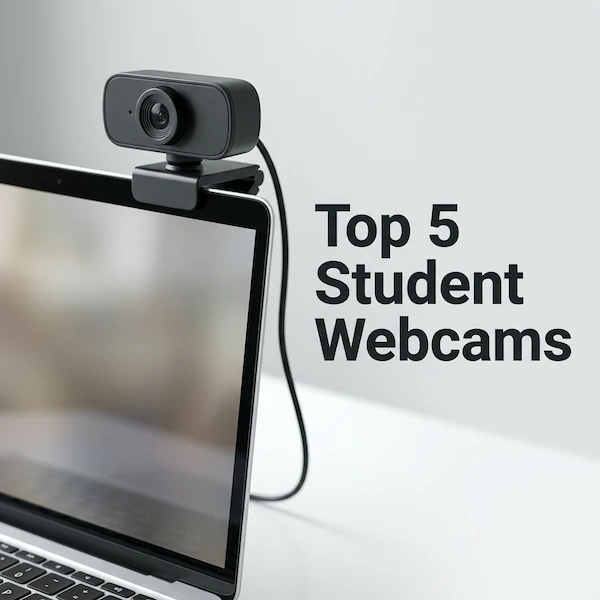
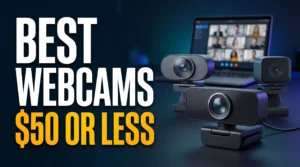
Looking for the best webcam under $50? A simple upgrade can make your video calls look sharper, brighter, and more professional than your laptop’s built-in camera.
But not every budget webcam is worth buying. We compare four affordable options to help you find the right balance of video quality, microphone performance, and useful features without overspending.
Our picks are based on manufacturer specifications, not hands-on testing. Prices and availability may change, so check the current Amazon listing before buying.
Quick Picks: Best Webcams at a Glance
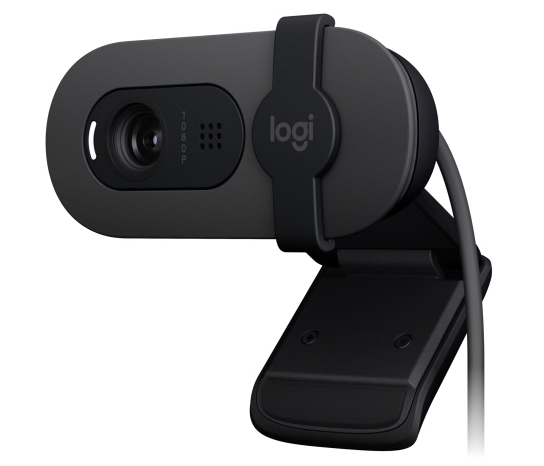
Logitech Brio 100
Full HD video and a built-in privacy shutter.
Best Overall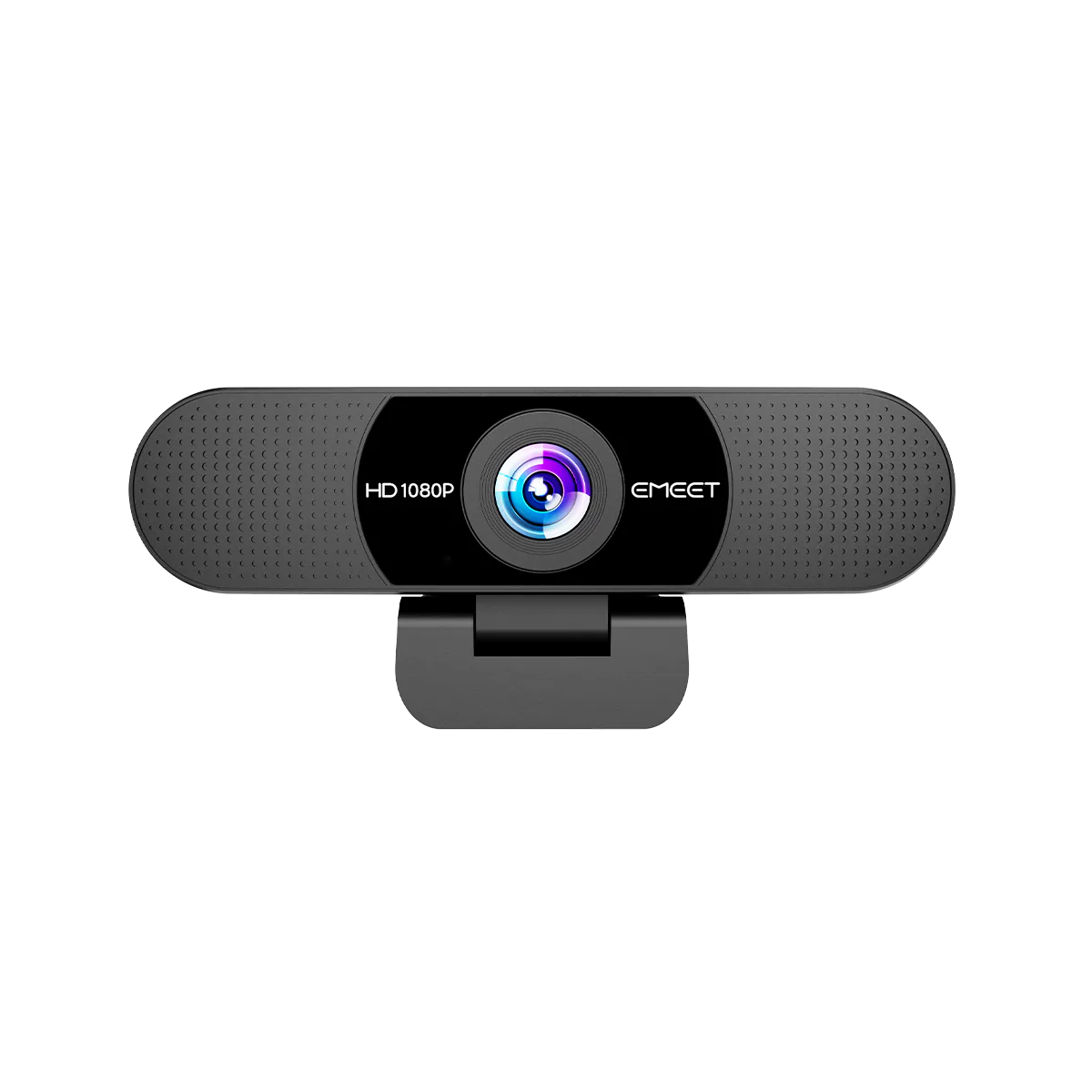
EMEET C960
1080p video with dual built-in microphones.
Best for Students
NexiGo N60
1080p webcam for everyday desktop video calls.
Wide-Angle Option
Logitech C270
Basic 720p video for occasional meetings.
Best Basic OptionAs an Amazon Associate, Mind Life Up earns from qualifying purchases. Prices and availability may change.
Best Webcams Under $50
Logitech Brio 101 — Best Overall
Positioning and ideal buyer: Best Overall for solo remote workers, students, and online learners who want a straightforward 1080p upgrade.
Key specs: Logitech’s Brio 101 product specifications list Full HD 1080p at 30 fps, approximately 58.9° field of view, fixed focus, a built-in microphone, an integrated privacy shutter, and RightLight 2.
Why it’s worth buying: The feature mix is practical for everyday calls. Its relatively tight frame keeps the shot focused on one person, the physical shutter covers the lens between meetings, and RightLight 2 can help adjust for uneven lighting. It’s a sensible webcam for remote work or online classes when you want a familiar, uncomplicated setup.
Drawbacks: Fixed focus is less suitable for close-up demonstrations where you repeatedly move objects toward the lens. The narrower view also isn’t ideal for two people sharing a frame, and the built-in mic is convenient rather than a replacement for dedicated audio.
Who should buy it: Choose the Brio 101 if you usually sit in one place and want a balanced camera with a built-in privacy shutter.
Logitech Brio 100
A straightforward webcam for online classes, video calls, and everyday student use.
EMEET C960 — Best for College Students
Positioning and ideal buyer: Best for College Students who move between online classes, study groups, and video meetings.
Key specs: EMEET’s C960 product listing specifies 1080p at 30 fps, a 90° field of view, two built-in omnidirectional microphones, fixed focus, a foldable privacy cover, automatic light correction, an adjustable clip, and tripod compatibility.
Why it’s worth buying: The wider view can include more of a desk or a second person, which is useful when a narrow laptop-camera shot feels restrictive. Its adjustable clip offers more placement flexibility, while tripod compatibility can help if you don’t want the camera attached to a monitor. Two omnidirectional microphones provide convenient voice pickup, but that doesn’t guarantee clearer sound in a noisy or echoing room.
Drawbacks: A 90° frame can reveal more dorm-room clutter than you’d like, and fixed focus works best when you remain seated at a consistent distance. The microphones are built in, not a substitute for a headset or dedicated mic.
Who should buy it: Consider the C960 if you want a flexible webcam for college students and can make use of its wider frame or tripod option.
EMEET C960
A budget-friendly option for virtual lectures, online meetings, and regular video calls.
NexiGo N60 — Best Wide-Angle Webcam
Positioning and ideal buyer: Best Wide-Angle Webcam for people who want their camera to show more than a close-up of their face.
Key specs: NexiGo’s N60 product specifications list 1080p at 30 fps, an approximately 110° field of view, fixed focus, a built-in microphone, a privacy cover, and USB connectivity.
Why it’s worth buying: The very wide view can suit a shared workspace, a desk demonstration, or a setup where you want more of your surroundings in the frame. It also gives you more flexibility in camera placement than a tight, face-only shot. The privacy cover is a useful physical safeguard when the camera isn’t in use.
Drawbacks: A wide frame can show background clutter and may make the edges of the image feel more prominent. That’s not an advantage for everyone on a solo video call. Fixed focus also makes the N60 a less convenient choice for frequent close-up demos.
NexiGo N60
A practical choice for everyday computer use, study sessions, and video meetings.
Logitech C270 — Best Basic Budget Option
Positioning and ideal buyer: Best Basic Budget Option for buyers who prioritize simple video calls over Full HD resolution.
Key specs: Logitech’s C270 product specifications list 720p at 30 fps, an approximately 55° field of view, fixed focus, a built-in mono microphone, and a USB connection.
Why it’s worth buying: It covers the basics for a cheap webcam for Zoom or class meetings, especially when you appear as a small video tile. The narrow frame suits a single caller, and its simple feature set may be enough if you don’t need to crop or display fine detail. It’s an affordable USB webcam option when Full HD isn’t a priority.
Drawbacks: Its 720p resolution is lower than the 1080p alternatives here, so the image may look less detailed when enlarged. The mono mic is basic, and the C270’s core specifications don’t list a privacy shutter; consider a separate cover if that feature matters.
Who should buy it: Choose the C270 if basic calls are your main use and you’re willing to trade sharper video for a simpler, lower-resolution option.
Logitech C270
A basic webcam for students who need a simple solution for everyday video calls.
How to Choose a Webcam Under $50
720p vs. 1080p Resolution
A 1080p webcam can show more detail, especially in a larger video tile or when you need to crop the image. That makes the Brio 101, C960, and N60 stronger options if you’re looking for a 1080p webcam under $50. The C270’s 720p video may be sufficient for a small call window, but it gives up detail. Your meeting app and internet connection can also affect the video you actually send.
Autofocus vs. Fixed Focus
All four shortlisted webcams use fixed focus, so they’re best suited to someone who stays seated at a consistent distance. If you often hold notes or products close to the camera, the image may lose sharpness. Autofocus can help when you move around, but these picks are designed for simpler, stationary calls.
Low-Light Performance
RightLight 2 on the Brio 101 and automatic light correction on the C960 can help adjust the image, but software correction can’t create light or eliminate backlighting. Face a window or lamp instead of placing a bright window behind you. For evening classes, improving your lighting may matter more than choosing between two budget webcams.
Field of View
Field of view describes how much of the scene appears in the frame. The Brio 101’s approximately 58.9° and the C270’s approximately 55° suit a solo caller; the C960’s 90° and N60’s approximately 110° show more of a desk or room. Wider views are more flexible, but can reveal clutter. Manufacturers may measure field of view differently, so treat the numbers as a guide.
Built-In Microphone Quality
A webcam with a microphone is convenient for quick calls, but mic count alone doesn’t predict sound quality. The C960’s two omnidirectional mics may pick up voices across a wider area, but can also capture room noise. The C270 has a mono mic. If you present often or need more consistent voice clarity, consider a headset or a dedicated microphone.
Privacy Shutters
A physical cover lets you block the lens when the camera isn’t in use. The Brio 101 has an integrated shutter, the C960 has a foldable cover, and the N60 includes a privacy cover. The C270’s core feature list doesn’t include a shutter, so use a separate cover if you choose it and want physical privacy.
USB Compatibility
Check the exact model’s connector, operating-system support, and compatibility with your meeting app before ordering. If your laptop has USB-C ports only, you may need an adapter; confirm whether one is included. Also check that your computer allows the app to access the camera.
Which Webcam Should You Choose?
- Best Overall: Logitech Brio 101. Choose it for straightforward 1080p video, a tighter solo frame, an integrated privacy shutter, and RightLight 2 correction. Its fixed focus makes it a better fit for seated calls than close-up demonstrations.
- Best for College Students: EMEET C960. Its wider view, adjustable clip, tripod compatibility, and foldable cover make it adaptable for classes and study calls. The dual mics are convenient, but don’t expect dedicated-mic performance.
- Best Wide-Angle Option: NexiGo N60. Pick it if you want to show more of your desk or surroundings and don’t mind including extra background. Its fixed focus suits stationary calls.
- Best Basic Budget Option: Logitech C270. Consider it for basic calls when 720p is enough and Full HD isn’t a priority. It’s a simpler option, with a mono mic and no privacy shutter listed in its core specifications.