Best Products for Students: 25 Useful Essentials Worth Buying
September 6, 2026 / By
mind life up / 22 minutes of reading
Disclosure: This post contains affiliate links. As an Amazon Associate, we earn from qualifying purchases at no extra cost to you.
Read more
Buying student essentials can get expensive surprisingly fast. Search for school or college must-haves, and suddenly it seems like you need a completely new desk setup, premium headphones, five productivity gadgets, and enough stationery to fill a drawer.
You probably don’t.
The best products for students solve problems you actually deal with. Maybe you have trouble focusing around roommates. Your laptop is short on connections. Deadlines keep sneaking up on you. Or you simply want a better way to organize handwritten notes.
This guide covers 25 useful products for studying, note-taking, productivity, organization, technology, focus, and everyday student life. You don’t need everything here—start with the problem you want to solve and choose from there.
Best Study Products for Students
Good study tools remove friction rather than creating another complicated system to maintain. When tackling issues like focus, distractions, or session management, choosing the best study products for students can streamline your entire daily workflow.
⭐ Time Timer MOD
Best for: Students who need more structure during study sessions.
Why we recommend it: An open-ended “I’ll study for a while” session can easily drift. The Time Timer MOD gives your study block a visible endpoint, making it useful for timed practice, homework, reading, and scheduled breaks. A separate timer can also keep you from picking up your phone every time you want to check the clock.
Key benefits:
✓ Makes remaining study time visually clear
✓ Useful for work-and-break routines
✓ Keeps basic timing separate from your phone
Potential downside: A phone or inexpensive timer can perform the basic countdown function if visual timing isn’t important to you.
Who should consider it: Students who regularly lose track of time or work better with defined study periods.
A simple visual timer for students who want clearer study blocks and breaks without relying on their phone.
⭐ JBL Tune 770NC Noise-Canceling Headphones
Best for: Students who study with audio in distracting environments.
Why we recommend it: Dorms, shared apartments, student centers, and busy households aren’t always quiet. The JBL Tune 770NC gives you an over-ear option for study music, recorded lectures, videos, and everyday listening while also offering noise-canceling functionality. That makes one pair useful for more than sitting at your desk.
Key benefits:
✓ Combines study audio with noise management
✓ Useful for studying and everyday listening
✓ Over-ear option for students who dislike earbuds
Potential downside: Over-ear headphones take up considerably more bag space than earbuds or earplugs.
Who should consider it: Students who regularly study in shared spaces and already use headphones while working.
No products found.
⭐ Loop Quiet 2 Earplugs
Best for: Students who want fewer distractions without playing audio.
Why we recommend it: Sometimes music creates another distraction and you simply want less environmental noise. Loop Quiet 2 earplugs are a compact, non-electronic option for shared rooms, study spaces, commuting, and other noisy situations. They don’t need pairing, apps, or charging, which makes them easy to keep in your everyday study kit.
Key benefits:
✓ Compact enough for everyday carry
✓ Requires no charging
✓ Useful beyond studying
Potential downside: Earplugs aren’t a substitute for active noise cancellation, and comfort varies with individual fit.
Who should consider it: Students who prefer quieter study sessions without headphones or background music.
No products found.
Best Note-Taking Products for Students
There isn’t one correct way to take notes. Some students rely entirely on digital apps, while others prefer writing by hand in a physical notebook to process and retain information better.
If using a notebook is central to your study routine, writing with the best pens for aesthetic note-taking keeps your pages clean, smudge-free, and easy to review throughout the semester.
⭐ Rocketbook Core Reusable Notebook
Best for: Students who want handwritten notes with a reusable workflow.
Why we recommend it: The Rocketbook Core is worth considering if you enjoy writing by hand but don’t want to accumulate conventional notebooks semester after semester. Its reusable approach makes particular sense for temporary lecture notes, brainstorming, study summaries, and practice problems that you don’t need to permanently preserve on paper.
Key benefits:
✓ Reusable approach to handwritten notes
✓ Fits a paper-plus-digital organization style
✓ Practical for brainstorming and practice work
Potential downside: It requires a different writing and reuse routine than a normal notebook.
Who should consider it: Students who prefer handwriting but want to reduce their reliance on disposable notebooks.
No products found.
⭐ Moleskine Classic Notebook
Best for: Traditional, distraction-free note-taking.
Why we recommend it: There’s still plenty of value in a notebook that doesn’t require charging, syncing, apps, or an account. The Moleskine Classic provides a straightforward place for lecture notes, assignments, ideas, or subject-specific work. It makes the most sense if you want one physical notebook you’ll consistently carry and use.
Key benefits:
✓ Works without electronics
✓ Flexible for classes and personal notes
✓ Keeps note-taking simple
Potential downside: Students who use lots of paper may find basic school notebooks more economical.
Who should consider it: Students who know they prefer conventional handwritten notes and don’t need digital features.
No products found.
⭐ Sharpie S-Gel Pens
Best for: Everyday class notes and assignments.
Why we recommend it: A dependable pen can get more use than many expensive student gadgets. Sharpie S-Gel pens are a practical option for lecture notes, planners, worksheets, and everyday writing. They don’t ask you to change how you study—you can simply put a few in your backpack or pencil case and use them when needed.
Key benefits:
✓ Useful across different classes
✓ Works for notes, assignments, and planning
✓ Easy everyday school-supply purchase
Potential downside: Writing feel is personal, and some students will prefer a different ink or pen style.
Who should consider it: High school and college students who regularly write by hand.
No products found.
⭐ Zebra Mildliner Highlighters
Best for: Students who organize notes with color.
Why we recommend it: Highlighting works best when colors have a purpose. You might assign one to definitions, another to exam material, and another to questions you need to review later. Zebra Mildliners make sense for this kind of visual organization in handwritten notes and planners.
Key benefits:
✓ Helps visually categorize information
✓ Useful for notes and planners
✓ Works well with a simple color-coding system
Potential downside: Highlighting too much material makes important information harder to identify.
Who should consider it: Visual learners who already use color intentionally when reviewing notes.
A useful set for students who organize notes, revision material, and planners with a simple color-coding system.
⭐ Rocketbook Fusion
Best for: Students who want reusable notes and planning together.
Why we recommend it: The Rocketbook Fusion is worth considering when a basic reusable notebook feels too open-ended. Its more structured approach makes sense for combining planning and general writing within the same system, potentially reducing the need to carry separate paper productivity tools.
Key benefits:
✓ Combines reusable writing and organization
✓ Useful for planning alongside classwork
✓ Can consolidate multiple paper tools
Potential downside: The additional structure may be unnecessary if you only want straightforward notebook pages.
Who should consider it: Students who like reusable writing and want more built-in organization.
No products found.
Best Desk Accessories for Students
A student desk doesn’t need to look like a social media setup. You need enough room to work, decent lighting, sensible device placement, and a way to control clutter.
If you’re building or improving your workspace, adding the best desk accessories for students helps optimize compact layouts, proper lighting, laptop positioning, and daily organization.
⭐ BESIGN Aluminum Laptop Stand
Best for: Students turning a laptop into a desk workstation.
Why we recommend it: A laptop sitting flat on a desk can leave its screen lower than you’d prefer during long work sessions. A BESIGN Aluminum Laptop Stand raises the computer and helps create a more desktop-like setup. It makes the most sense alongside an external keyboard and mouse.
Key benefits:
✓ Raises the laptop from desk level
✓ Helps create a more flexible workstation
✓ Useful for dedicated laptop study setups
Potential downside: Once the laptop is raised, its built-in keyboard may become inconvenient to use.
Who should consider it: Students who regularly spend long sessions working from the same laptop desk.
No products found.
⭐ BenQ WiT LED Desk Lamp
Best for: Students who regularly study at one desk.
Why we recommend it: Room lighting isn’t always positioned where you need it for reading, handwriting, or evening homework. The BenQ WiT adds dedicated task lighting to a study area. Because it’s more of a premium desk accessory, it makes the most sense when you spend substantial time at the same workspace.
Key benefits:
✓ Provides dedicated desk lighting
✓ Useful for reading and paper-based work
✓ Suited to permanent study setups
Potential downside: Students on a tight budget may get what they need from a simpler desk lamp.
Who should consider it: Students who spend enough time at a dedicated study desk to justify investing more in lighting.
No products found.
⭐ Lamicall Phone Stand
Best for: Students using a phone as a secondary study screen.
Why we recommend it: A phone stand gives your device one predictable place instead of letting it disappear underneath notebooks and papers. It’s useful for instructional videos, reference material, timers, and video calls while you work on another device or on paper.
Key benefits:
✓ Keeps your phone positioned and visible
✓ Useful for calls and study content
✓ Works well on smaller desks
Potential downside: If notifications already distract you, keeping your phone directly in view may make concentration harder.
Who should consider it: Students who actively use their phone alongside their laptop, tablet, textbook, or notebook.
No products found.
⭐ Amazon Basics Desk Organizer
Best for: Students who constantly lose small desk supplies.
Why we recommend it: Pens, highlighters, sticky notes, and miscellaneous supplies can spread across a small desk quickly. An Amazon Basics Desk Organizer provides a dedicated place for frequently used items without introducing another complicated organization system.
Key benefits:
✓ Keeps small supplies together
✓ Makes everyday items easier to find
✓ Helps reduce desktop clutter
Potential downside: An organizer also occupies desk space, so it’s less useful if you own very few physical supplies.
Who should consider it: Students with a permanent desk and enough stationery to create regular clutter.
A simple desktop storage solution for keeping pens, highlighters, sticky notes, and other frequently used supplies together.
Best Productivity Products for Students
The best productivity products for students are usually simple enough that you’ll keep using them after the excitement of a new semester wears off.
If deadlines and time management are bigger challenges than your actual study materials, adopting the best productivity products for students helps keep your focus, scheduling, and daily organization on track.
⭐ Moleskine Weekly Planner
Best for: Students who prefer managing their schedule on paper.
Why we recommend it: Digital calendars are useful, but some students understand a busy week better when they can physically see it. A Moleskine Weekly Planner can give classes, assignments, exams, work shifts, and personal commitments one place to live without pulling you into another phone app.
Key benefits:
✓ Provides a physical weekly overview
✓ Useful for deadlines and assignment planning
✓ Separates planning from phone distractions
Potential downside: Paper can’t automatically send reminders or sync schedule changes.
Who should consider it: Students who reliably write things down and remember to check their planner.
No products found.
⭐ Post-it Super Sticky Notes
Best for: Quick reminders and temporary organization.
Why we recommend it: Not every task deserves another productivity app. Post-it Super Sticky Notes work for project steps, study prompts, temporary to-do lists, page markers, and reminders you need to keep visible while working. Their main advantage is that there’s almost no setup involved.
Key benefits:
✓ Fast way to capture temporary tasks
✓ Useful for highly visible reminders
✓ Requires no app or account
Potential downside: Too many sticky notes can turn an organization system into visual clutter.
Who should consider it: Students who benefit from short, visible reminders rather than complicated task-management systems.
An inexpensive way to keep temporary tasks, revision prompts, project steps, and important reminders visible.
Best Tech Products for Students
Technology is the category where being selective matters most.
A premium accessory can be worth buying when you use it for hours every day, but you shouldn’t spend workstation money to solve something a basic accessory already handles.
Before ordering hubs, chargers, storage, keyboards, or other gear, verify compatibility with your specific setup so you invest only in the best tech products for students that truly fit your daily workflow.
⭐ Logitech MX Master 3S Wireless Mouse
Best for: Students with demanding computer workflows.
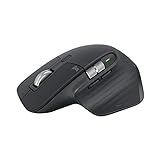
Why we recommend it: The Logitech MX Master 3S makes more sense as a productivity upgrade than a universal student essential. If you spend substantial time editing, researching, working with spreadsheets, designing, or using complex desktop software, a workstation-oriented mouse may justify the added cost.
Key benefits:
✓ Suited to computer-heavy workflows
✓ Makes sense for permanent workstations
✓ Useful for students wanting more capable desktop controls
Potential downside: It’s likely unnecessary if your computer work mostly consists of browsing and writing basic documents.
Who should consider it: Design, business, engineering, research, and other students doing intensive computer work.
A premium wireless mouse aimed at students who spend significant time researching, designing, editing, or working in complex software.
⭐ Logitech Pebble 2 Combo
Best for: Small student desks and compact laptop setups.
Why we recommend it: Raising your laptop on a stand often means you also need an external keyboard and mouse. The Logitech Pebble 2 Combo addresses both needs without turning a small student desk into a bulky workstation. It’s particularly practical when portability and available space matter.
Key benefits:
✓ Keyboard and mouse in one setup
✓ Pairs naturally with a laptop stand
✓ Better suited to small spaces than bulky peripherals
Potential downside: Students who prefer larger keyboards or more workstation-oriented controls may want a different setup.
Who should consider it: Dorm residents and other students creating a compact laptop workstation.
No products found.
⭐ Anker 332 USB-C Hub
Best for: Students who need basic extra laptop connectivity.
Why we recommend it: Thin laptops don’t always include every connection you need for school accessories. The Anker 332 USB-C Hub is worth considering when you need portable expansion without building a full desktop docking setup. Verify its current connections and your laptop’s USB-C capabilities before purchasing.
Key benefits:
✓ Expands available laptop connectivity
✓ Portable for campus use
✓ Useful for laptops with limited connections
Potential downside: USB-C ports can support different capabilities, so a matching connector doesn’t guarantee every feature will work.
Who should consider it: Students who regularly connect accessories that their laptop can’t accommodate directly.
No products found.
⭐ Anker 737 Power Bank
Best for: Long school days with heavier charging needs.
Why we recommend it: A power bank becomes useful when your schedule regularly keeps you away from outlets long enough for low batteries to cause problems. The Anker 737 is better suited to substantial portable-power needs than occasional phone charging, making it more relevant to commuters and students carrying multiple electronics.
Key benefits:
✓ Provides power away from wall outlets
✓ Useful during long campus days
✓ Better suited to heavier charging needs
Potential downside: A substantial power bank adds noticeable weight and bulk to a backpack.
Who should consider it: Commuters and tech-heavy students who frequently run short on power before getting home.
No products found.
⭐ Anker Nano Charger
Best for: Compact everyday charging.
Why we recommend it: A compact charger can move easily between home, class, the library, work, and travel. Anker sells several products under the Nano name, so the best version depends on the devices you’re charging rather than the product family alone.
Key benefits:
✓ Easy to carry in a school bag
✓ Practical for campus and travel
✓ Useful as a dedicated portable charger
Potential downside: Different Nano models have different capabilities, so check the exact listing before purchasing.
Who should consider it: Students who regularly carry charging equipment between locations.
No products found.
⭐ Samsung T7 Portable SSD
Best for: Students working with large files or maintaining local backups.
Why we recommend it: Courses involving video, photography, design projects, datasets, or other large files can make portable storage useful. The Samsung T7 gives you a physical option for transporting files and maintaining backups rather than relying entirely on internal or cloud storage.
Key benefits:
✓ Portable storage for school projects
✓ Useful as part of a backup strategy
✓ Relevant to file-heavy coursework
Potential downside: Important coursework shouldn’t exist on only one portable drive, since drives can be lost or damaged.
Who should consider it: Creative, technical, and research-focused students managing larger project files.
No products found.
⭐ Logitech K380 Keyboard
Best for: Portable external typing.
Why we recommend it: If you already have a mouse and only need a keyboard, buying a full peripheral bundle doesn’t make much sense. The Logitech K380 is a compact option for raised laptops, tablets, and portable study setups. Check the current version for compatibility with the devices and operating systems you intend to use.
Key benefits:
✓ Compact alternative to many full-size keyboards
✓ Useful with tablets and laptop stands
✓ Fits space-conscious study setups
Potential downside: The compact format isn’t ideal for students who strongly prefer larger layouts or dedicated number pads.
Who should consider it: Students prioritizing portability and desk space over a full-size keyboard layout.
A space-saving external keyboard for students using tablets, raised laptops, or portable study setups.
⭐ Apple AirPods 4
Best for: Apple users who want compact everyday earbuds.
Why we recommend it: A small pair of earbuds can cover recorded lectures, calls, commuting, study audio, and entertainment without taking much space in a bag. AirPods 4 make the most sense for students already using Apple devices and willing to spend more for an option designed to work within that ecosystem.
Key benefits:
✓ Compact enough for everyday carry
✓ Useful across school and personal activities
✓ Particularly relevant to Apple-device users
Potential downside: Students who simply need basic audio can find less-expensive wired or wireless options.
Who should consider it: Apple users expecting to use their earbuds throughout the school day.
No products found.
⭐ Anker 10-in-1 USB-C Hub
Best for: Tech-heavy students with several connected accessories.
Why we recommend it: If your desk includes external storage, displays, and multiple peripherals, constantly switching connections gets annoying. Anker’s 10-in-1 USB-C Hub makes more sense for these connection-heavy setups than a basic portable hub. Check its current specifications against your computer and accessories before ordering.
Key benefits:
✓ Suited to multi-accessory setups
✓ Can consolidate several connections
✓ Useful for more elaborate laptop workstations
Potential downside: There’s little value in paying for numerous connectivity options if you only need one or two.
Who should consider it: Students who use several external devices at the same workstation.
No products found.
Best School Supplies for Students
Some of the best school supplies for students aren’t clever or high-tech. They’re the things you can depend on every school day.
If you’re putting together a more complete classroom or campus kit, choosing the best school supplies for students ensures all your daily academic essentials are reliably covered.
⭐ Herschel Heritage Backpack
Best for: Everyday school and campus carry.
Why we recommend it: A backpack is one of the few student products that may get used almost every class day. The Herschel Heritage is worth considering as a general-purpose option for moving everyday school gear between home, class, and the library. Compare the current model’s dimensions, organization, and device fit with what you actually carry.
Key benefits:
✓ Practical for everyday campus routines
✓ Keeps school essentials in one place
✓ Useful for school and general daily carry
Potential downside: Students carrying large textbook loads or specialized equipment may need a different backpack style.
Who should consider it: Students looking for an everyday bag rather than a specialized technical backpack.
No products found.
Best Products for Student Life
Not every worthwhile purchase has to make you study faster.
Products you use in class, while commuting, at work, and at home can deliver more practical value than highly specialized study gadgets.
⭐ Owala FreeSip Water Bottle
Best for: Everyday student hydration.
Why we recommend it: A reusable water bottle isn’t an exciting productivity accessory, but it’s potentially useful throughout your entire day. The Owala FreeSip makes sense as an everyday option for moving between class, the library, work, the gym, and home. Choose a current size that suits your bag and routine rather than automatically going for the largest.
Key benefits:
✓ Useful throughout the school day
✓ Works outside classes and studying
✓ Reduces reliance on disposable water bottles
Potential downside: Larger bottles add more weight and may not fit every backpack pocket or cup holder.
Who should consider it: Students who regularly carry water during school, commuting, work, or exercise.
No products found.
Quick Comparison: Which Student Product Is Right for You?
Instead of comparing dozens of specifications, start with your problem:
Reusable note-taking: Rocketbook Core
Traditional handwritten notes: Moleskine Classic Notebook
Everyday writing: Sharpie S-Gel Pens
Color-coded studying: Zebra Mildliners
Visible reminders: Post-it Super Sticky Notes
Timed study sessions: Time Timer MOD
Focus without audio: Loop Quiet 2
Focus with audio: JBL Tune 770NC
Laptop positioning: BESIGN Aluminum Laptop Stand
Desk lighting: BenQ WiT LED Desk Lamp
Desk organization: Amazon Basics Desk Organizer
Phone positioning: Lamicall Phone Stand
Paper scheduling: Moleskine Weekly Planner
Reusable notes plus planning: Rocketbook Fusion
Premium computer workflows: Logitech MX Master 3S
Compact workstation: Logitech Pebble 2 Combo
Basic USB-C expansion: Anker 332 USB-C Hub
More extensive connectivity: Anker 10-in-1 USB-C Hub
Portable typing: Logitech K380
Large-file storage: Samsung T7
Portable wall charging: Anker Nano Charger
Higher portable-power needs: Anker 737 Power Bank
Everyday Apple audio: Apple AirPods 4
Everyday school carry: Herschel Heritage Backpack
Everyday hydration: Owala FreeSip Water Bottle
The important distinction isn’t whether a product is good in isolation. It’s whether it fixes something that regularly gets in your way.
Best Affordable Products for Students
A limited budget doesn’t mean you need to skip useful study products. In fact, some of the least complicated items on this list may get the most use.
Sharpie S-Gel Pens are practical if you write daily. Zebra Mildliners make sense if color coding is already part of your study routine. Post-it notes can handle quick reminders without another app, while a simple organizer may be enough to get a messy desk under control.
Exact prices change by retailer, package size, color, and product version, so always check the current listing.
Shopping with a firm spending cap? Prioritizing the best products for students under $25 ensures you get genuinely useful everyday essentials without exceeding your budget.
If you can stretch your budget further, investing in the best products for students under $50 gives you access to a wider selection of desk gear, organization tools, and tech essentials.
The basic rule is simple: buy the least-expensive option that adequately solves your problem. Upgrade when you know which additional features you’ll actually use.
How to Choose the Best Products for Students
The easiest way to waste money on student products is to begin with somebody else’s must-have list instead of your own needs.
Start by identifying a recurring problem.
“My roommate is noisy when I’m trying to read” gives you something concrete to solve. “I probably need new headphones for college” doesn’t.
Here are the main factors worth considering:
Actual usefulness: What specific problem will the product solve?
Budget: Does it fit comfortably after required school expenses?
Frequency of use: Will you use it every day, every week, or twice per semester?
Durability: Will it stay on a desk or get thrown into a backpack every morning?
Portability: Is carrying the additional weight and bulk actually worth it?
Compatibility: For technology, verify devices, connections, operating systems, and current requirements.
Study habits: Pick tools that fit how you already work rather than forcing an entirely new routine.
Desk space: A useful accessory becomes less useful if it takes away the space you need for books and notebooks.
Technology needs: Don’t pay for workstation-level features when your schoolwork only requires basic functionality.
Cheaper alternatives: Ask whether a simpler product can solve the same issue.
Frequency deserves particular attention.
A boring product used five days a week can be a better purchase than an impressive gadget you forget about after two weeks.
The same applies to premium upgrades. An expensive mouse can make sense for someone working in complex software for hours every day. For basic essays and web research, a simpler mouse may be enough.
Compatibility is especially important with USB-C accessories. Two devices can have physically similar connections without supporting identical functionality. Check current manufacturer and retailer information before purchasing hubs, chargers, or other device-specific accessories.
Most importantly, ask yourself one final question before checking out:
Do I already own something that solves this problem?
Your phone may be enough as a timer. A basic notebook might already cover your note-taking needs. In those cases, keeping your money is a perfectly good buying decision.
Frequently Asked Questions
What products do students actually need?
Most students need fewer products than typical student must-have lists suggest. Start with a dependable note-taking method, writing supplies, required technology, chargers, a practical school bag, and a reliable way to track deadlines.
Then add products only when they solve a problem you regularly experience.
What are the best products for students?
The best products for students are generally high-use items that address recurring needs. Useful examples include notebooks, writing tools, chargers, a backpack, organization products, and study accessories suited to your environment.
The right combination depends on your classes, technology, study habits, and budget.
What are the most useful student essentials?
Prioritize items you’ll use almost every school day. Your backpack, writing supplies, note-taking system, charger, water bottle, and calendar or planner may deliver more everyday value than specialized gadgets.
High frequency of use matters more than novelty.
What are the best affordable products for students?
Simple school supplies are a good starting point. Pens, highlighters, sticky notes, and basic organization accessories can solve everyday problems without requiring a large technology budget.
Since retail prices change, verify current pricing before shopping around a specific dollar limit.
What should every student have for studying?
At minimum, you need access to your course materials, a reliable method for taking notes, somewhere suitable to work, and a system for tracking assignments and deadlines.
Extra products should address specific issues such as distractions, lighting, organization, or time management.
What are the best study tools for students?
Useful study tools can include notebooks, planners, timers, highlighters, sticky notes, headphones, and earplugs.
The best tool is usually one that supports a study method you already understand instead of adding an unnecessarily complicated routine.
What are the best products for a student desk?
A practical student desk may benefit from a laptop stand, dedicated lighting, an external keyboard and mouse, phone stand, and simple organizer.
You don’t need all of them. Fix your biggest workspace problem first, particularly if desk space is limited.
What products are worth buying for students?
A product is worth considering when it gets regular use, fixes a recurring inconvenience, or makes necessary schoolwork meaningfully easier.
Premium options deserve more scrutiny. If you won’t use the additional functionality, the less-expensive alternative may provide better value.
What are the best products for students under $25?
This depends on current pricing. Writing supplies, sticky notes, organization tools, and some simple desk or charging accessories may fit within that budget depending on the retailer and specific configuration.
See our [Internal Link: Best Products for Students Under $25] guide for a more focused budget shortlist.
How should students choose useful products?
Start with the problem, not the product.
Compare possible solutions based on usefulness, price, durability, portability, compatibility, frequency of use, and available space. Then check whether something cheaper—or something you already own—would accomplish the same thing.
Final Thoughts: Which Student Products Are Actually Worth Buying?
The best products for students aren’t necessarily the products with the longest feature lists or the nicest-looking study setups. They’re the things that keep getting used after the first few weeks of school.
If your notes are disorganized, start there. Decide whether a traditional notebook, reusable system, or better writing supplies would genuinely help.
If focus is the problem, figure out what’s causing it. Noise may call for headphones or earplugs. Poor time management may be better addressed by a planner or timer.
The same logic applies to your desk and technology. Improve screen positioning if that’s a recurring problem. Add connectivity if your laptop is actually short on the connections you need. Carry additional power if low batteries regularly interfere with your school day.
Budget and space matter too. A high school student working at home, a college commuter, and someone living in a small dorm room aren’t going to have identical student essentials.
Start with two or three problems you genuinely want to fix. Choose products you’ll use frequently, consider cheaper alternatives where they make sense, and verify current specifications whenever technology compatibility matters.
From there, explore the recommendations and related guides that match your needs, compare current retailer details and availability, and build your student setup around what will actually make your day easier—not around somebody else’s must-have list.