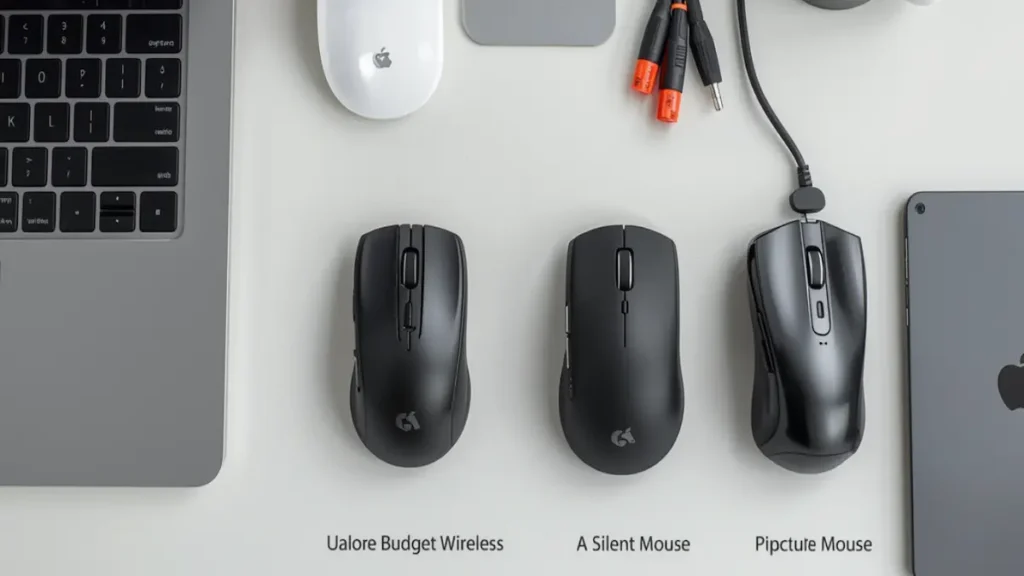
A good mouse is one of the simplest upgrades a student can make—and one of the most overlooked.
Whether you’re writing essays, scrolling through research PDFs, or switching between a laptop and iPad, the right wireless mouse improves comfort, speed, and focus far beyond what a trackpad offers.
But most lists recommend gaming or office picks that don’t match real student needs: a tight budget, silent clicks for libraries, portability between classes, and comfort during long study sessions.
This guide is different.
Below are 6 mice chosen specifically for students—from a reliable under-$20 pick to a premium productivity mouse. Each includes honest pros, cons, and a clear recommendation.
Quick note: This list includes both Bluetooth mice and 2.4GHz wireless mice (with USB receiver), so you can choose based on your laptop’s ports and workflow.
Quick Comparison
| Mouse | Best For | Connection | Click Noise | Battery | Price |
|---|---|---|---|---|---|
| Logitech M185 | Budget | 2.4GHz USB receiver | Standard | 12 months | $ |
| Logitech M330 Silent | Library & dorm | 2.4GHz USB receiver | Very quiet | 18 months | $ |
| Logitech Pebble Mouse 2 M350s | Portability + iPad | Bluetooth (3 devices) | Quiet | 2 years | $$ |
| Logitech M705 Marathon | Best overall | 2.4GHz Unifying | Standard | 3 years | $$ |
| Logitech MX Master 3S | Premium productivity | Bluetooth + Logi Bolt | Quiet | Rechargeable USB-C | $$$ |
| Logitech MX Vertical | Wrist comfort | Bluetooth + receiver | Standard | Rechargeable | $$$ |
1. Logitech M185 — Best Budget Mouse for Students
On a tight budget? The M185 is the classic budget wireless mouse for school: cheap, reliable, and a massive step up from using a trackpad for essays and online classes.
Who it’s for: High school and college students who want a dependable mouse without spending more than $20.
Key Specs
- Connection: 2.4GHz wireless (USB nano receiver included)
- Sensor: 1000 DPI optical
- Battery: Up to 12 months (1× AA included)
- Design: Ambidextrous
- Weight: ~75g
- Compatibility: Windows, macOS
Pros
- Usually under $20—best value on this list
- True plug-and-play setup (no software needed)
- Compact enough for any backpack
- Battery lasts up to a full school year
Cons
- USB-A receiver required—USB-C laptops need an adapter
- Standard click noise (not library-friendly)
- No multi-device switching or rechargeable battery
Bottom Line
The M185 does one thing well: a reliable wireless mouse for very little money. If your budget is tight, this is the best mouse for school without complaints.
Need quieter clicks? Step up to the M330 Silent. Need Bluetooth for an iPad? Skip to the Pebble Mouse 2.
No products found.
2. Logitech M330 Silent — Best Mouse for Libraries & Dorms
Standard mouse clicks are surprisingly loud in a quiet library or shared dorm. The M330 Silent reduces click noise by over 90%—making it the best silent mouse for studying around other people.
Who it’s for: Students who study in libraries, shared rooms, or any quiet space where click noise is a problem.
Key Specs
- Connection: 2.4GHz wireless (USB receiver included)
- Noise: SilentTouch (90%+ less click noise)
- Battery: Up to 18 months (1× AA included)
- Range: Up to 33 ft (10 m)
- Design: Right-handed
- Weight: ~91g
- Compatibility: Windows, macOS, ChromeOS, Linux
Pros
- Dramatically quieter clicks—genuinely library-friendly
- Long battery life with auto-sleep
- Works with Chromebooks and Linux
- Comfortable shape for medium-length sessions
Cons
- Right-handed only
- USB-A receiver required—USB-C laptops need an adapter
- Not Bluetooth (won’t connect to iPads)
Bottom Line
If you study around other people regularly, the M330 Silent is one of those small upgrades that makes a surprisingly big difference every single day.
Need Bluetooth instead? The Pebble Mouse 2 offers quiet clicks with full Bluetooth connectivity.
No products found.
3. Logitech Pebble Mouse 2 M350s — Best Portable Bluetooth Mouse
If you carry your setup between classes, cafés, and the library, you want a mouse that’s slim, light, and connects without a dongle. The Pebble Mouse 2 is the best Bluetooth mouse for students who move around.
Who it’s for: Students who switch between a laptop and iPad, use a USB-C-only MacBook, or need a truly portable mouse for commuting.
Key Specs
- Connection: Bluetooth Low Energy (no dongle required)
- Multi-device: Up to 3 devices with Easy-Switch button
- Noise: SilentTouch (quiet clicks)
- Battery: Up to 2 years (1× AA included)
- Design: Ambidextrous, ultra-slim
- Weight: ~76g
- Compatibility: Windows, macOS, iPadOS, Android, ChromeOS
Pros
- Ultra-portable—fits in any bag or pocket
- No receiver needed (pure Bluetooth)
- Easy-Switch between laptop, iPad, and phone
- Quiet clicks + 2-year battery life
- Supports iPadOS and ChromeOS
Cons
- Slim shape less comfortable during long sessions
- Logi Bolt receiver not included
- No fast-scroll or programmable buttons
Bottom Line
The best “throw it in your bag” wireless mouse for students. The Bluetooth multi-device switching is genuinely useful if you work across a laptop and iPad daily.
Want more comfort for long sessions? The M705 Marathon or MX Master 3S offer a fuller, more supportive shape.


4. Logitech M705 Marathon — Best Overall Mouse for Students
If you want one mouse that handles almost everything—comfortable shape, fast scrolling, programmable buttons, and battery life you can forget about—the M705 Marathon is the best overall student mouse.
Who it’s for: Students who spend hours reading, writing, and researching daily, and want a reliable everyday mouse without paying premium prices.
Key Specs
- Connection: 2.4GHz wireless (Logitech Unifying receiver)
- Battery: Up to 3 years (2× AA)
- Buttons: 5 programmable buttons
- Scroll: Hyper-fast metal scroll wheel
- Sensor: Laser tracking
- Design: Right-handed, full-size
- Weight: ~135g
- Compatibility: Windows, macOS
Pros
- Exceptional battery life—measured in years
- Hyper-fast scroll wheel ideal for long PDFs and research papers
- Comfortable full-size shape for extended study sessions
- Programmable buttons for daily shortcuts
- Laser sensor works on more surfaces
Cons
- USB-A Unifying receiver required
- Right-handed only
- Heavier than compact mice
- No silent clicks, no Bluetooth
Bottom Line
The M705 is the “just get this one” recommendation for most students. The scroll wheel is worth the upgrade alone if you read long documents—and the 3-year battery means you’ll likely graduate before replacing batteries.
Want silent clicks too? Step up to the MX Master 3S, which combines fast scrolling with quiet clicks in one premium package.
No products found.
5. Logitech MX Master 3S — Best Premium Mouse for College
If your daily work involves coding, design, data analysis, or heavy multitasking, the MX Master 3S is a genuine productivity tool. The MagSpeed scroll wheel, quiet clicks, and deep customization make it the best premium mouse for college students doing serious work.
Who it’s for: College students in CS, engineering, design, or any field requiring 4+ hours of focused daily laptop work.
Key Specs
- Connection: Bluetooth + Logi Bolt USB receiver
- Sensor: Up to 8000 DPI (tracks on glass)
- Scroll: MagSpeed electromagnetic (1,000 lines/second)
- Clicks: Quiet (90% less noise)
- Battery: USB-C rechargeable (up to 70 days)
- Multi-device: Up to 3 devices
- Buttons: 7 customizable (via Logi Options+)
- Weight: ~141g
- Compatibility: Windows, macOS, iPadOS, Linux
Pros
- Best-in-class MagSpeed scroll wheel
- Tracks on glass and any surface
- Quiet clicks—library appropriate
- Deep per-app button customization
- USB-C fast charge (3 hours from 1-min charge)
- Bluetooth + receiver flexibility
Cons
- Most expensive pick on this list
- Large right-handed design only
- Full features require Logi Options+ software
- Overkill for basic essay writing and browsing
Bottom Line
The MX Master 3S is the best mouse on this list—and the most expensive. If you can justify the investment, it’s a tool you’ll use through college and into your career. For basic essay writing, the M705 Marathon gives 80% of the benefit at a fraction of the cost.
On a budget but want fast scrolling? The M705 Marathon’s hyper-fast scroll wheel covers most everyday document scrolling needs.
No products found.
[Check latest price on Amazon →
6. Logitech MX Vertical — Best Ergonomic Mouse for Wrist Pain
If your wrist or forearm starts aching after hours of studying, a vertical ergonomic mouse can genuinely help. The MX Vertical positions your hand at a natural 57° angle to reduce muscular strain—the best ergonomic mouse for students dealing with discomfort.
Who it’s for: Students experiencing wrist pain, or anyone wanting to prevent repetitive strain during long daily sessions (4+ hours).
Key Specs
- Design: Vertical ergonomic, 57° hand angle
- Sensor: Up to 4000 DPI
- Battery: USB-C rechargeable (up to 4 months)
- Connection: Bluetooth + Logi Unifying receiver
- Multi-device: Up to 3 devices
- Shape: Right-handed only
- Weight: ~135g
- Compatibility: Windows, macOS
Pros
- Significantly reduces wrist and forearm strain
- Natural handshake grip comfortable once adjusted
- High DPI reduces physical hand movement
- Premium build with thumb rest and textured grip
- USB-C rechargeable
Cons
- 1–2 week adjustment period for new users
- Higher price than standard mice
- Right-handed only
- Standard click noise (not silent)
- Larger footprint—not portable
Bottom Line
The MX Vertical is a specialized tool. If you’re already experiencing wrist discomfort from long study sessions, it’s one of the best investments you can make. If you have no pain, a well-shaped mouse like the MX Master 3S is more practical. Allow at least one week to adjust.
Not sure about vertical? The MX Master 3S offers excellent ergonomic comfort in a traditional shape—no learning curve needed.
No products found.
How to Choose: Student Mouse Buying Guide
Bluetooth vs. USB Receiver
Choose Bluetooth if:
- Your laptop only has USB-C ports
- You also connect to an iPad or tablet
- You switch between multiple devices daily
Choose USB receiver if:
- Your laptop has USB-A ports available
- You want the simplest plug-and-play setup
- You don’t need to connect to tablets
Want both? The MX Master 3S includes Bluetooth and a Logi Bolt receiver.
Silent Clicks Matter More Than You Think
Study in a quiet library next to someone with a loud-clicking mouse—and you’ll understand immediately. Silent mice (M330, Pebble Mouse 2, MX Master 3S) reduce click noise by 90% while keeping the same tactile feedback.
Worth it if: You study in libraries, shared dorms, or anywhere near other people.
Match Comfort to Your Study Hours
| Daily Usage | Recommended Pick |
|---|---|
| Under 2 hours | M185 or Pebble Mouse 2 |
| 2–4 hours | M705 Marathon |
| 4+ hours | MX Master 3S or MX Vertical |
Frequently Asked Questions
What is the best mouse for students overall?
The Logitech M705 Marathon offers the best balance of comfort, features, and battery life for most students. On a tight budget, the M185 is the best value. For serious college work, the MX Master 3S is the top choice.
What’s the best cheap wireless mouse for school?
The Logitech M185—usually under $20, reliable, and plug-and-play simple. A massive upgrade over any laptop trackpad.
Which mouse is best for studying in a library?
The Logitech M330 Silent for USB setups, or the Pebble Mouse 2 for Bluetooth. Both reduce click noise by 90%+ with SilentTouch technology.
Is Bluetooth or a USB receiver better for students?
- USB-C only laptop: Bluetooth is easier—no adapter needed
- Has USB-A ports: Either works; USB receiver is slightly more reliable
- Use an iPad: Bluetooth is the only option for tablets
Do these mice work with iPads?
Only Bluetooth models. The Pebble Mouse 2 and MX Master 3S work with iPads natively (iPadOS 13.4+). USB-receiver mice (M185, M330, M705) won’t connect to an iPad.
Do these mice work with Chromebooks?
Yes. The M330 Silent, M705 Marathon, and Pebble Mouse 2 all officially support ChromeOS.
Is a vertical mouse worth it for students?
If you experience wrist or forearm discomfort, yes—the MX Vertical can make a real difference. Without pain, the MX Master 3S or M705 are more practical and versatile choices.
Final Recommendation
| Your Priority | Best Pick | Approx. Price |
|---|---|---|
| Lowest price | Logitech M185 | ~$15 |
| Quiet library use | Logitech M330 Silent | ~$20–25 |
| Portability + Bluetooth + iPad | Pebble Mouse 2 M350s | ~$25–30 |
| Best overall for most students | Logitech M705 Marathon | ~$30–40 |
| Premium productivity | MX Master 3S | ~$90–100 |
| Wrist pain / ergonomic | MX Vertical | ~$80–100 |
Still not sure? Start with the M705 Marathon. It covers the widest range of student needs—and you’re unlikely to outgrow it before graduation.
Prices change on Amazon regularly. Check each link for the latest deals—these models go on sale during back-to-school season, Prime Day, and Black Friday.