Best MacBook for Students: Don’t Buy the Wrong Mac!
August 12, 2026 / By
mind life up / 12 minutes of reading
Disclosure: This post contains affiliate links. As an Amazon Associate, we earn from qualifying purchases at no extra cost to you.
Read more
Buying a Mac for college is a major investment, and choosing the wrong one is a costly mistake. Finding the best MacBook for students is not just about grabbing the newest Apple release; it’s about matching the right machine to your exact needs so you don’t overspend.
The perfect college laptop depends heavily on your budget, university major, and how long you want the device to last. While some students only need a reliable, budget-friendly Mac for note-taking and writing papers, others require the heavy performance of a MacBook Pro for coding, video editing, or running heavy engineering software.
So, should you buy the lightweight MacBook Air or invest in the Pro? In this ultimate buying guide, we compare the top 4 models to help you avoid buyer’s remorse. Read on to discover your ideal student laptop and get the smartest deal today.
MacBook Comparison Table for Students
Quick answer: The MacBook Air M5 is the best MacBook for most students, the MacBook Neo is the top budget choice, and the MacBook Pro 14-inch M4 is best for engineering and creators.
Model
Best For
Chip
RAM
Storage
Battery
Rating
Price
Amazon
Best OverallMacBook Air 13-inch (M5)Best MacBook for most students
Prices and ratings may change on Amazon at any time. Click the buttons above to see the latest deal.
Quick Picks
If you want the short answer, here are the best options:
Best Overall: MacBook Air M5 — best mix of price, storage, battery life, and performance
Best Budget: MacBook Neo — cheapest MacBook for students
Best Value Alternative: MacBook Air M4 — great if you want a proven Air model
Best for Engineering and Design: MacBook
Pro 14-inch M4 — best for heavy workloads
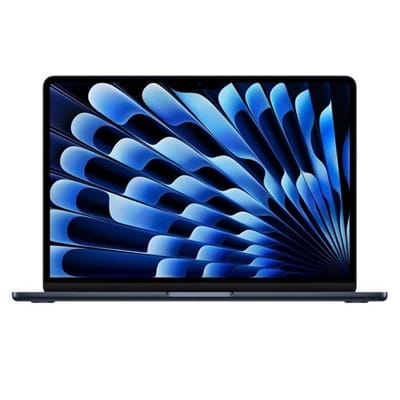
1) MacBook Air 13-inch M5 — Best MacBook for Most Students
Price: $949.99
Rating: 4.8/5
Best for: most college students, business, medical, coding, and everyday use
If you want one MacBook that works for almost every student, the MacBook Air M5 is the easiest recommendation. It combines strong performance, excellent battery life, a lightweight design, and enough storage for long-term use. For most people, this is the best MacBook for college students right now
The biggest reason it wins is value. This model comes with 16GB unified memory and 512GB SSD, which is a much better starting point than a 256GB laptop for a student. Between class files, presentations, apps, photos, and downloads, 256GB can fill up faster than most students expect. With 512GB, you get more breathing room for the next few years.
Performance is another major advantage. The M5 chip is more than enough for research, writing, multitasking, video calls, presentations, coding, and even light creative work. Most students do not need a MacBook Pro, and the Air M5 already gives them all the speed they need in a thinner and lighter body.
Battery life is also a big selling point. With up to 18 hours, it can easily last through classes, library sessions, and study time without stress. The 12MP Center Stage camera is useful for online classes and meetings, while Wi‑Fi 7 adds a bit of future-proofing.
Pros
Excellent balance of price and performance
16GB RAM is ideal for multitasking
512GB storage is much better for long-term use
Up to 18 hours of battery life
12MP Center Stage camera
Supports up to two external displays
Cons
No USB-A port
13.6-inch screen may feel small for some users
Not the best choice for heavy 3D or pro editing workloads
Who should buy it?
Students who want one laptop for everything: essays, Zoom calls, research, coding, presentations, streaming, and daily college use.
Bottom line: If you’re unsure which MacBook to buy, this is the safest and smartest choice for most students.
Best Overall
MacBook Air 13-inch (M5)
Best MacBook for most students
★★★★★ 4.8/5 (600+ reviews)
16GB Unified Memory
512GB SSD Storage
13.6-inch Liquid Retina Display
Up to 18 hours battery life
12MP Center Stage Camera
Wi-Fi 7 + 2 external displays
$1,099.00$949.99Save 14%
Best for: College students, business majors, pre-med, coding, multitasking, and everyday university use.
2) MacBook Neo 13-inch — Best Budget MacBook for Students
Price: $589.99
Rating: 4.7/5
Best for: students on a tight budget, note-taking, writing, browsing, basic schoolwork
The MacBook Neo is the budget pick in this list, and it fills an important role. Not every student wants to spend around $1,000 on a laptop. If your needs are simple and your budget is limited, this is the most affordable way to get a MacBook.
At $589.99, the Neo is significantly cheaper than the Air models, but still offers a lot for the price. It has a 13-inch Liquid Retina display, A18 Pro chip, 8GB unified memory, and 256GB SSD. For basic student tasks like writing papers, attending online classes, reading PDFs, browsing with multiple tabs, and using apps like Pages, Numbers, Google Docs, and Microsoft 365, it should be enough.
It also has a lightweight aluminum design and up to 16 hours of battery life, which makes it a practical campus laptop. Another nice touch is the color selection, which may appeal to students who want something more fun than the usual silver or black.
That said, there are trade-offs. The base model comes with 8GB RAM and 256GB storage, which is okay for light use but less ideal if you keep a lot of files or multitask heavily. It also lacks some of the extras you get on the Air models, like the stronger speaker setup and more advanced camera experience.
Pros
Lowest price in the lineup
Lightweight and easy to carry
Good for writing, browsing, and everyday school tasks
Up to 16 hours of battery life
Fun color options
Cons
8GB RAM is limited for heavier multitasking
256GB storage may fill up quickly
Base version lacks some premium features
Not ideal for demanding majors or creative workloads
Who should buy it?
Students in writing-heavy majors or anyone who mainly needs a laptop for notes, papers, online classes, and web browsing.
Bottom line: If your priority is spending the least while still getting a MacBook, the Neo is the best budget option.
Best Budget
MacBook Neo 13-inch
Best Budget MacBook for Students
★★★★☆ 4.7/5 (723+ reviews)
8GB Unified Memory
256GB SSD Storage
13-inch Liquid Retina Display
Up to 16 hours battery life
1080p FaceTime HD Camera
Lightweight aluminum design
$589.99
Best for: Students on a budget, note-taking, writing papers, browsing, online classes, and basic schoolwork.
3) MacBook Air 13-inch M4 — Best Value Alternative
Price: $993.98
Rating: 4.8/5
Best for: students who want a trusted Air model with 16GB RAM
The MacBook Air M4 is still a very strong student laptop, even though the Air M5 currently looks like the better deal. It offers the same thin-and-light MacBook Air design, 16GB unified memory, up to 18 hours battery life, and a 12MP Center Stage camera.
This model is a good fit for students who want a reliable MacBook Air for multitasking, productivity apps, online classes, and light creative work. The M4 chip is already fast enough for the average student, whether you are preparing presentations, opening many browser tabs, editing documents, or using school apps daily.
Where it becomes harder to recommend is price versus storage. This version starts at 256GB SSD, while the Air M5 listing you shared includes 512GB SSD at a lower price. That makes the M4 harder to place as the top recommendation unless its Amazon price drops.
Still, it has one major advantage: a high number of reviews. That matters for some buyers. A product with thousands of reviews often feels safer because you can see more buyer experiences before making a decision.
Pros
16GB RAM is great for student multitasking
Lightweight and portable
Up to 18 hours battery life
12MP Center Stage camera
Strong overall performance for school and daily use
High review count adds trust
Cons
256GB storage is limited at this price
Currently costs more than the Air M5 in your listings
Wi‑Fi 6E instead of Wi‑Fi 7
Who should buy it?
Students who prefer a proven MacBook Air model and find it at a lower sale price than the M5.
Bottom line: The Air M4 is a great laptop, but with the current prices you shared, the Air M5 is the better buy.
Best Value
MacBook Air 13-inch (M4)
Best Value Alternative
★★★★★ 4.8/5 (6,958+ reviews)
16GB Unified Memory
256GB SSD Storage
13.6-inch Liquid Retina Display
Up to 18 hours battery life
12MP Center Stage Camera
Wi-Fi 6E + supports 2 external displays
$993.98
Best for: Students who want a proven MacBook Air with strong reviews, portability, and reliable daily performance.
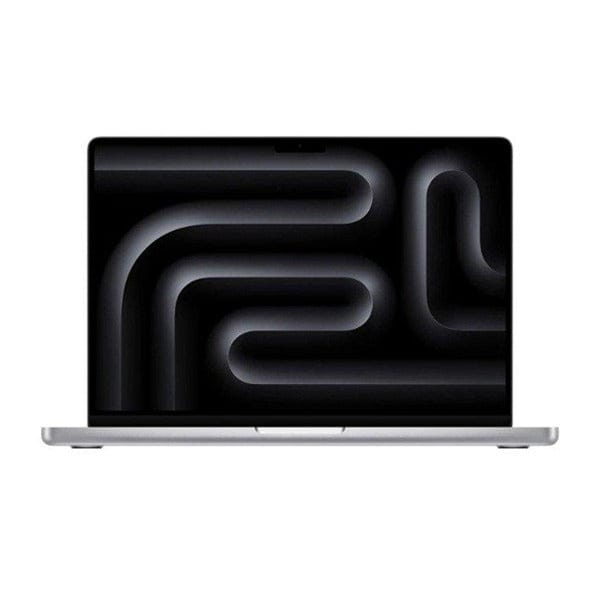
4) MacBook Pro 14-inch M4 — Best MacBook for Engineering Students and Creators
Price: $1,599.00
Rating: 4.8/5
Best for: engineering, architecture, editing, design, advanced coding, demanding software
The MacBook Pro 14-inch M4 is the premium option on this list. It is not the best MacBook for every student, but it is the best choice for students who actually need more power.
With a 10-core CPU and 10-core GPU, 16GB of unified memory, a 512GB SSD, and a 14.2-inch Liquid Retina XDR display, this model is built for demanding tasks. Students in engineering, architecture, graphic design, video production, or advanced development workflows will benefit the most.
The display is one of the biggest reasons to choose the Pro. It offers Liquid Retina XDR with much higher brightness than the Air models, which is useful for content creation, media work, and users who want a larger and better-looking screen. The Pro also tends to be a stronger pick for sustained workloads, especially when your assignments go beyond basic productivity.
Of course, the price is much higher. For students who only need a laptop for documents, browser tabs, and video calls, the MacBook Pro is overkill. But for students using demanding software, that extra performance and display quality may be worth the investment.
Pros
Best performance on this list
Larger 14.2-inch display
Liquid Retina XDR screen is excellent
16GB RAM and 512GB SSD are solid specs
Better fit for intensive academic software
Great long-term option for demanding users
Cons
Much more expensive
Heavier than the Air
Too much laptop for basic student use
Who should buy it?
Students in engineering, architecture, film, design, data-heavy work, or anyone who knows their software needs more power.
Bottom line: Buy the MacBook Pro only if your major or workload justifies it. If not, save money and get the Air.
Best for Engineering
MacBook Pro 14-inch (M4)
Best MacBook for Engineering Students and Creators
★★★★★ 4.8/5 (573+ reviews)
16GB Unified Memory
512GB SSD Storage
14.2-inch Liquid Retina XDR Display
10-core CPU + 10-core GPU
All-day battery life
Ideal for engineering, design, editing, and coding
$1,599.00
Best for: Engineering students, creators, architecture, video editing, advanced coding, and demanding software workflows.
English, history, law, political science, education:MacBook Neo is usually enough.
Business, marketing, nursing, pre-med, psychology:MacBook Air M5 is the best overall pick.
Computer science and general programming:MacBook Air M5 gives you better RAM and storage for long-term use.
Engineering, architecture, video editing, graphic design:MacBook Pro 14-inch M4 is the better choice.
If you want a MacBook Air but see the M4 at a better sale price, the MacBook Air M4 can still be a smart buy.
MacBook Air vs MacBook Pro for Students
This is one of the most searched questions, and the answer is simple:
Buy a MacBook Air if:
You want better portability
You mainly do schoolwork, research, writing, browsing, Zoom, and light editing
You want to save money
You value battery life and a lighter bag
Buy a MacBook Pro if:
You use demanding software
You need a better display for creative work
You work with larger projects, rendering, or pro editing
You want more sustained high performance
For most students, the MacBook Air is the better buy. The Pro only makes sense if your workload clearly needs it.
Frequently Asked Questions
Is 8GB RAM enough for students?
Yes, 8GB can be enough for basic tasks like writing, browsing, streaming, and online classes. But if you multitask a lot or want the laptop to feel comfortable for several years, 16GB is the better choice.
Is 256GB SSD enough for college?
It depends on your usage. For light use, 256GB can work. But for most students, 512GB is safer, especially if you store presentations, videos, class files, and apps over several years.
What is the best budget MacBook for students?
Based on the options here, the MacBook Neo is the best budget MacBook for students because it keeps the price low while still covering everyday college needs.
What is the best MacBook for college students overall?
The MacBook Air M5 is the best overall choice because it offers strong performance, 16GB RAM, 512GB storage, long battery life, and a student-friendly form factor.
What is the best MacBook for engineering students?
The MacBook Pro 14-inch M4 is the strongest option in this list for engineering and other demanding majors.
Should students buy MacBook Air M4 or M5?
With the prices you shared, the MacBook Air M5 is the better pick because it gives you more storage and newer connectivity for less money.
Final Verdict
If you want the short final answer:
Buy the MacBook Air M5 if you want the best MacBook for students overall.
Buy the MacBook Neo if your budget is tight and you only need a MacBook for everyday schoolwork.
Buy the MacBook Air M4 only if you find it at a better price than the M5.
Buy the MacBook Pro 14-inch M4 if your major requires more power.