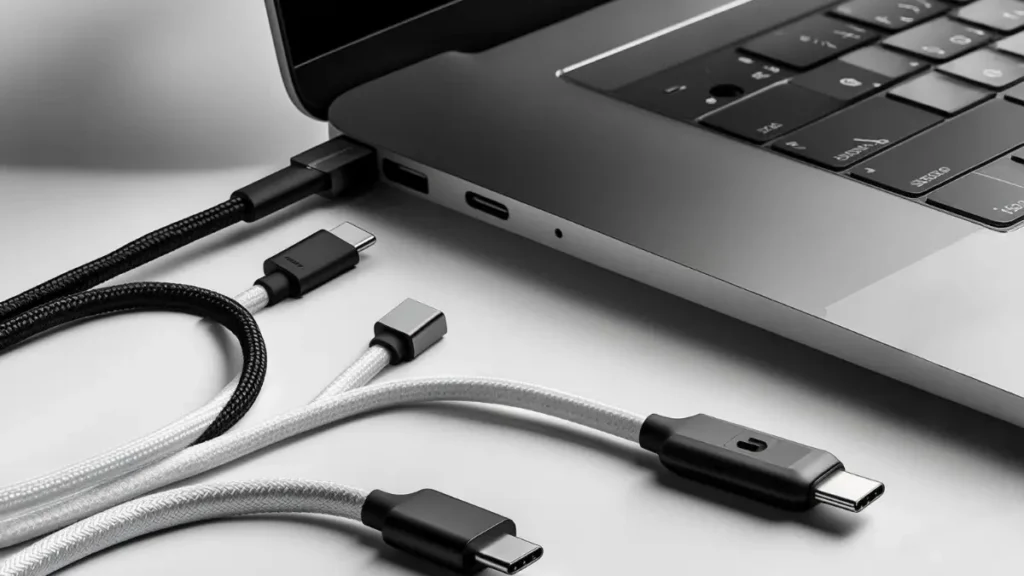
Best USB‑C Charging Cable for MacBook Air (Top 5 Picks in the US)
August 13, 2026 / By
mind life up / 10 minutes of reading
Disclosure: This post contains affiliate links. As an Amazon Associate, we earn from qualifying purchases at no extra cost to you.
Read more
Short on Time? Here’s Our #1 Pick
If you just want the best USB‑C charging cable for MacBook Air without overthinking it:
→ [Anker 333 USB‑C to USB‑C Cable (2‑Pack, 6ft, 100W)]
It’s reliable, affordable, and built for real daily use. Two durable braided cables in the box — one for your desk, one for your bag. That’s it.
No products found.
Why Your MacBook Air Cable Matters More Than You Think
Most people grab the cheapest USB‑C cable they can find and assume it works. And technically, it might — until it doesn’t.
Here’s the truth: a low-quality Type‑C cable can charge your MacBook Air slowly, overheat under load, or simply fail after a few months of normal use. Worse, some cables advertise “USB‑C” but can’t even handle proper USB Power Delivery negotiation, which means your laptop might not fast-charge at all.
On the other hand, a solid USB‑C to USB‑C PD cable with good build quality will:
Charge your MacBook Air at full speed — every single time
Last longer — even with daily bending, coiling, and tossing in a bag
Keep your setup clean — no guessing, no random slowdowns, no replacements every few months
We’ve spent hours comparing specs, certifications, and real-world feedback to narrow it down to five cables that are actually worth buying in 2026.
How We Picked These Cables
We evaluated each cable based on five key factors:
Clear labeling — does it support video output or not?
Real value
Price per cable, bundle deals, long-term durability
Note: Every cable in this list works with MacBook Air M1, M2, M3, and M4 models — as well as most USB‑C laptops, tablets, and phones.
Quick Comparison Table
Cable
Best For
Power
Data
Video
Our Verdict
Anker 333 (2‑Pack, 6ft)
Best overall
100W
Basic
✗
⭐ Editor’s Pick
UGREEN (2‑Pack, 6.6ft)
Best budget cable
100W
480Mbps
✗
💰 Best Value
Apple Woven (2m)
Best Apple-made cable
240W
USB 2
✗
🍎 Apple Pick
Anker Prime TB4 (3.3ft)
Best for docks + monitors
240W
40Gbps
✓ 8K
🖥️ Power User
Cable Matters (6.6ft)
Best certified 240W
240W
480Mbps
✗
🔒 Certified Pick
1. Anker 333 USB‑C to USB‑C Cable (2‑Pack, 6ft, 100W)
⭐ Best Overall — Editor’s Pick
There’s a reason the Anker 333 is our top recommendation. It does exactly what most MacBook Air owners need — reliable, fast USB‑C charging — without any unnecessary complexity or cost.
You get two braided 6ft cables in one box. That alone makes it practical: keep one on your desk and throw the other in your backpack. Each cable supports 100W USB‑C Power Delivery, which is well above what any MacBook Air requires.
The build quality is solid. The braided nylon exterior and reinforced connectors are rated for thousands of bends, and they hold up to the kind of daily wear that kills cheaper cables within weeks.
What makes it worth buying
✅ 100W Power Delivery — charges MacBook Air at full speed
✅ Braided nylon build — rated for 5,000+ bends
✅ 2 cables included — real value for multi-location use
✅ 6ft / 1.8m length — enough reach for desks and nightstands
What to keep in mind
⚠️ No video or display output
⚠️ Data transfer is basic (USB 2.0 level)
Who should buy this
Anyone who wants a dependable MacBook Air charging cable for everyday use — students, remote workers, commuters, or anyone tired of replacing cheap cables.
Our take: If you’re not sure which cable to get, get this one. It’s the safest, smartest buy for most people.
No products found.
2. UGREEN USB‑C to USB‑C Cable (2‑Pack, 3.3ft, 100W)
💰 Best Budget Pick
If you want solid USB‑C charging performance at a lower price, the UGREEN 2‑pack is hard to beat. It delivers the same 100W PD support as more expensive cables, and includes a built-in E‑Marker chip for smart power negotiation — a feature that matters when you’re charging a laptop, not just a phone.
At 3.3ft per cable, these are slightly longer than most alternatives, which is genuinely helpful on a cluttered desk or in a dorm room where the outlet isn’t right next to you.
✅ Extra-long 3.3ft — more reach than most competitors
✅ Two cables in one pack — great household value
What to keep in mind
⚠️ 480Mbps data — fine for syncing, not for large transfers
⚠️ No display or dock support
Who should buy this
Budget-conscious buyers who want a reliable, long USB‑C PD cable without overpaying — especially students, families, or anyone who needs multiple cables around the house.
Our take: You’re not sacrificing charging quality here. This is a smart buy if you want to spend less and still get a cable that works properly.
No products found.
3. Apple 240W USB‑C to USB‑C Woven Charge Cable (2m)
🍎 Best Apple-Made Cable
For users who prefer to stay within the Apple ecosystem, this is the obvious choice. Apple’s woven USB‑C charge cable looks and feels premium — exactly what you’d expect from an official accessory. But it’s not just about aesthetics.
This cable supports up to 240W charging (USB PD 3.1 EPR), which makes it significantly more future-proof than a standard 60W or 100W cable. Your MacBook Air won’t use anywhere near that much power, but if you ever upgrade to a MacBook Pro or a higher-wattage device, this cable is ready.
What makes it worth buying
✅ Apple-designed woven build — premium look and feel
✅ 240W capable — serious future-proofing
✅ 2m / 6.6ft length — comfortable for any desk setup
✅ Clean, minimal design — pairs perfectly with Apple hardware
What to keep in mind
⚠️ Data limited to USB 2.0 speeds
⚠️ Priced higher than third-party alternatives
⚠️ No video output support
Who should buy this
Apple-first buyers who value design, build quality, and long-term compatibility — and don’t mind paying a bit more for the OEM experience.
Our take: It’s the best-looking cable on this list, and the 240W rating gives it more longevity than most buyers realize. If you like Apple gear, you’ll like this cable.
[➡️ Check Price on Amazon]
4. Anker Prime Thunderbolt 4 Cable (3.3ft, 240W, 40Gbps)
🖥️ Best for Displays, Docks & High-Speed Data
This is the cable you need if your MacBook Air is the center of a desk setup. Unlike every other cable on this list, the Anker Prime is a true Thunderbolt 4 / USB4 cable — which means it doesn’t just charge. It also handles 40Gbps data transfer, external monitors (up to 8K or dual 4K), and full docking station connectivity through a single port.
If you’ve ever tried plugging your MacBook Air into a USB‑C dock or monitor with a basic cable and wondered why it didn’t work — this is why. Most charging cables simply don’t carry video or high-speed data signals. This one does.
What makes it worth buying
✅ Thunderbolt 4 certified + USB4 compatible
✅ 40Gbps data — fast enough for external SSDs and pro workflows
✅ 8K single display / dual 4K support
✅ 240W charging — handles any USB‑C device
✅ One cable for power, data, and video
What to keep in mind
⚠️ 3.3ft / 1m length — designed for desk use, not long cable runs
⚠️ Higher price point — you’re paying for Thunderbolt certification
⚠️ Overkill if you only need basic charging
Who should buy this
Creators, professionals, and anyone who connects their MacBook Air to a USB‑C dock, external monitor, or high-speed storage. This is not a “just charging” cable — it’s a full connectivity solution.
Our take: If you use a dock or display, stop trying to make a cheap cable work. This is the right tool for the job, and it does everything in a single connection.
In a market full of USB‑C cables with vague specs and questionable claims, the Cable Matters 240W cable stands out for one clear reason: it’s USB‑IF certified.
That certification means it has been independently tested and verified to meet USB Implementers Forum standards for USB PD 3.1 EPR (Extended Power Range) up to 240W. It also includes a built-in E‑Marker chip for proper power negotiation. If you care about safety, standards, and knowing exactly what your cable can do, this is the one.
What makes it worth buying
✅ USB‑IF Certified — independently verified
✅ 240W USB PD 3.1 EPR — the highest USB‑C power standard
✅ E‑Marker chip for safe, stable charging
✅ 6.6ft length — long enough for flexible desk and room setups
What to keep in mind
⚠️ 480Mbps data — charging-first cable, not a data powerhouse
⚠️ No video or display output
⚠️ Less “brand name” recognition than Anker or Apple
Who should buy this
Spec-conscious buyers who want a certified, future-proof 240W USB‑C cable with proper safety standards — especially useful if you plan to upgrade to a higher-wattage laptop down the line.
Our take: If USB‑IF certification matters to you — and it should — this is one of the best-value certified cables you can buy right now.
[➡️ Check Price on Amazon]
Side-by-Side: Which Cable Fits Your Setup?
Your situation
Best cable for you
Everyday charging at home, school, or work
Anker 333 (2‑Pack)
Tight budget, need a long reliable cable
UGREEN (2‑Pack)
Want Apple-made quality and 240W future-proofing
Apple Woven Cable
Use a dock, external monitor, or fast SSD
Anker Prime Thunderbolt 4
Want USB‑IF certified safety and 240W power
Cable Matters Certified
What to Know Before You Buy (Buyer’s Guide)
USB‑C Power Delivery: How Much Wattage Do You Actually Need?
A MacBook Air typically charges at around 30W to 45W depending on the model and charger. So a 100W USB‑C PD cable is already more than enough headroom.
A 240W cable won’t charge your MacBook Air any faster — but it gives you flexibility if you later upgrade to a MacBook Pro or another higher-power USB‑C laptop.
Charging Cable vs. Data Cable vs. Thunderbolt Cable
This is where most buyers get confused:
Cable Type
Charges Laptop?
Fast Data?
External Display?
USB‑C charging cable (USB 2.0)
✓
✗
✗
USB‑C data cable (USB 3.x)
✓
✓
Sometimes
Thunderbolt 4 / USB4 cable
✓
✓ (40Gbps)
✓ (up to 8K)
Rule of thumb: If you only plug in to charge, a PD charging cable is all you need. If you plug into a dock or monitor, you need Thunderbolt 4 or USB4.
Cable Length: What’s Best for You?
3.3ft / 1m: Best for travel and tight desk setups
6ft / 1.8m: Good all-rounder for most desks
6.6ft / 2m: Best for dorms, bedside charging, and rooms with far outlets
Don’t Forget Your Charger
A great cable can only do its job if your USB‑C power adapter supports the right wattage. If you’re using a low-power phone charger with a 100W cable, your MacBook Air won’t charge at full speed.
Frequently Asked Questions
Is a 100W cable enough for MacBook Air?
Yes. MacBook Air charges at 30–45W, so a 100W USB‑C PD cable gives you more than enough power.
Do I need Thunderbolt 4 just to charge my MacBook Air?
No. A standard USB‑C charging cable handles charging just fine. Thunderbolt 4 is only necessary if you need 40Gbps data, docking stations, or external displays.
Can I use any USB‑C cable to connect to a monitor?
No — most USB‑C charging cables don’t carry video signals. You need a cable that supports Thunderbolt 4, USB4, or DisplayPort Alt Mode.
What’s the difference between 100W and 240W cables?
A 240W cable supports USB PD 3.1 EPR — a newer, higher-power standard. It won’t make your MacBook Air charge faster, but it’s useful if you upgrade to a more powerful laptop in the future.
Can I charge my MacBook Air with a phone USB‑C cable?
Sometimes, but many phone cables are rated for lower wattage and may charge your MacBook Air very slowly or not trigger fast charging at all. Use a cable rated for at least 100W PD for best results.
Does the USB‑C charger (power brick) matter?
Absolutely. Your cable and charger work together. Even the best cable won’t deliver full charging speed if your USB‑C adapter doesn’t support enough wattage.
What cable length is best for a desk?
6ft to 6.6ft (about 2 meters) is the most practical length for desk, dorm, and bedside charging.
Final Verdict
Here’s the bottom line:
For most MacBook Air users, the [Anker 333 USB‑C to USB‑C Cable (2‑Pack)](affiliate link) is the best choice. It’s affordable, durable, and delivers everything you need for reliable daily charging.
[➡️ Get the Anker 333 on Amazon]
If your needs are different, here’s a quick recap: