Disclosure: This post contains affiliate links. As an Amazon Associate, we earn from qualifying purchases at no extra cost to you.
Read more
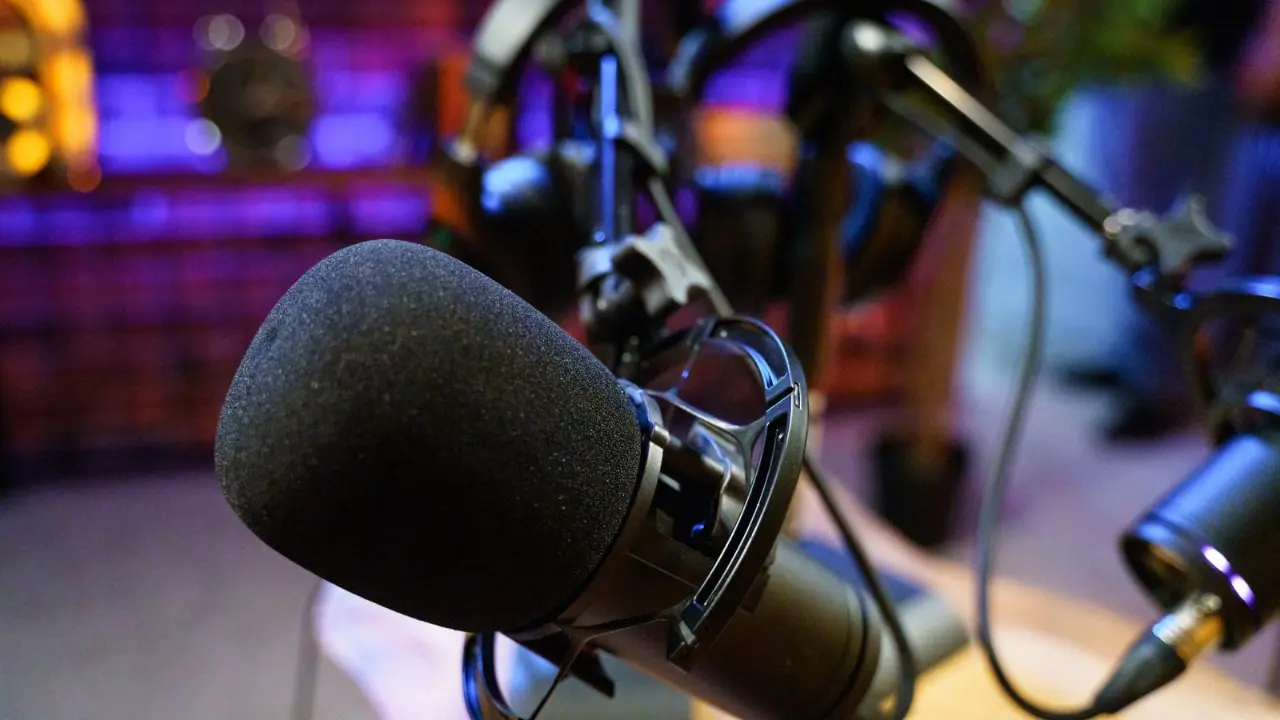
If you want clearer meetings, better client calls, or more professional online communication, choosing the best USB microphone for video calls can make a noticeable difference.
Laptop microphones are convenient, but they often sound thin, distant, or noisy. A dedicated USB mic can improve voice clarity, reduce distractions, and help you sound more confident on Zoom, Teams, and Google Meet.
To make the choice easier, we picked 3 strong options for different needs and budgets. Each one is easy to use, works well for video meetings, and offers better sound than a built-in mic.
Quick Picks
Best Overall: Logitech Blue Yeti
Best Simple Pick: HyperX SoloCast
Best Value: FIFINE K669B
No products found.
How to Choose
When shopping for the best USB microphone for video calls, voice clarity should come first. You want your voice to sound direct, natural, and easy to understand.
A cardioid microphone is often the best fit for solo calls because it focuses on sound from the front and reduces noise from the sides and rear.
Ease of use also matters. A plug-and-play USB microphone saves time and works well for busy professionals who do not want a complicated setup.
It also helps to look for useful call features like mute control, gain adjustment, or live monitoring. These can make meetings smoother and more professional.
Logitech Blue Yeti
The Blue Yeti also includes onboard controls for mic gain, mute, headphone volume, and pattern selection. That gives you more control during meetings without needing extra software.
Another advantage is its plug-and-play setup. You can connect it to a Mac or PC and start using it with Zoom, Google Meet, Teams, or Skype in minutes.
It also includes no-latency monitoring, which is useful if you want to hear your own voice in real time while checking levels before an important call.
This mic is larger than the other options in this guide, but it offers a more premium desktop experience for users who want better sound and more control.
Pros
Clear, full voice quality
Four pickup patterns
Built-in mute, gain, and volume controls
Plug-and-play USB setup
Good for calls, meetings, and recorded presentations
Very popular and well trusted
Cons
Larger than compact USB mics
More expensive than basic options
Can pick up more room sound in echo-heavy spaces
Best For
The Logitech Blue Yeti is best for professionals, remote workers, teachers, and creators who want a flexible microphone for video calls and desktop recording.
HyperX SoloCast
If you want a compact and easy-to-use microphone for daily meetings, the HyperX SoloCast is a smart choice.
It is simple to set up, does not take much desk space, and offers cleaner sound than most built-in laptop microphones. For remote work and regular video calls, that alone makes it worth a look.
The mic uses a cardioid polar pattern, which helps focus on your voice while reducing unwanted noise from the sides and rear. That makes it a good fit for one-person calls, interviews, and online presentations.
It also supports 24-bit / 96kHz recording, which gives it strong voice detail for a microphone in this price range.
One of its most useful features for meetings is the tap-to-mute sensor with LED status indicator. This makes it easy to mute quickly during calls without searching for software buttons.
Its flexible stand also helps in smaller workspaces. You can position it under a monitor more easily than larger desktop microphones.
Pros
Clear voice quality
Compact and desk-friendly
Tap-to-mute with LED indicator
24-bit / 96kHz recording
Easy plug-and-play setup
Good for Zoom, Teams, and daily calls
Cons
Fewer onboard controls than larger microphones
Like most condenser mics, it works best in a quieter room
Best For
The HyperX SoloCast is best for remote workers and home office users who want a compact USB microphone for clear calls and quick mute control.
No products found.
FIFINE K669B
For buyers who want a budget-friendly upgrade, the FIFINE K669B is one of the best value picks for video calls.
It is affordable, easy to use, and a noticeable step up from a laptop mic. For work calls, tutoring, online classes, or casual meetings, it covers the basics very well.
The plug-and-play USB setup is simple. Just connect it to your computer and start using it with your preferred meeting app.
Its cardioid pickup pattern helps it focus on your voice from the front, which is useful when you want to sound clearer during calls and reduce some background distractions.
The metal body gives it a more durable feel than many low-cost microphones. It also includes a volume knob on the mic itself, which can be helpful during quick adjustments.
This is not the most advanced microphone here, but it gives excellent value for buyers who want better call quality at a low price.
Pros
Very affordable
Easy USB setup
Cardioid pickup for focused voice capture
Durable metal design
On-mic volume control
Good for meetings, classes, and everyday calls
Cons
Basic tripod stand
Not ideal for noisy environments
Sound quality is good for the price, but less refined than premium options
Best For
The FIFINE K669B is best for students, teachers, freelancers, and budget-conscious users who want a low-cost USB microphone for video calls.
No products found.
Quick Comparison
If you want the most control and flexibility, the Logitech Blue Yeti is the best overall pick.
If you want a simpler and smaller microphone for daily meetings, the HyperX SoloCast is the better fit.
If you want the lowest price with solid voice quality, the FIFINE K669B offers the best value.
Which One Fits You?
Choose the Logitech Blue Yeti if you want premium features and more control during calls.
Choose the HyperX SoloCast if you want a compact, easy-to-use USB mic for remote work and meetings.
Choose the FIFINE K669B if you want a budget microphone that still sounds much better than a built-in laptop mic.